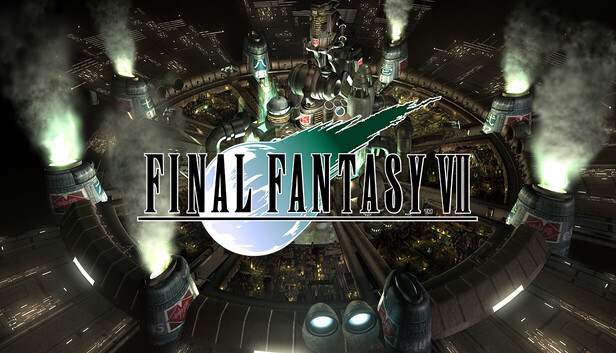
In Midgar, a city controlled by the mega-conglomerate Shinra Inc., the No. 1 Mako Reactor has been devastated by an explosion conducted by a rebel group, AVALANCHE.
AVALANCHE has been secretly formed and established to wage a merciless rebellion against Shinra Inc., the organisation which is absorbing Mako energy, destroying the natural resources of the planet. Cloud, which is a former member of Shinra's elite combat force, SOLDIER that was heavily involved with the bombing of the Mako Reactor.
Would Cloud and AVALANCHE be able to protect the planet from the huge, formidable enemy, Shinra Inc.? It is up to you to join this epic battle and shift the tides with your choices and actions.
The RPG classic FINAL FANTASY VII returns to the PC, now with a brand new set of exciting online features and so much more to discover!
Achievements – Whether you are a seasoned FINAL FANTASY VII veteran or actually exploring this RPG classic for the very first time ever, make sure to show off your in-game accomplishments and put all of your gaming skills to the test with the 36 brand new achievements that you are able to unlock. Share your profile with friends online to find out who is the ultimate FINAL FANTASY fan and best player among you!
Cloud Saves – If you are away from home or simply using a different computer to play, you can still enjoy all of the FINAL FANTASY VII features and progress wherever you are. With the cloud save support in FINAL FANTASY VII you are able to continue your game progress right from where you last left off (Active Internet Connection is required. Saves can only be transferred between a maximum of 3 computers at any one time).
Character Booster options – Finding yourself stuck on a difficult section or lacking the funds to buy that vital Phoenix Down? With the Character Booster you can now greatly increase your HP, MP and Gil levels to their maximum levels, all with the simple click of a single button, leaving you to enjoy your adventure with a boosted experience and much more might than ever before.
Optimized for PC – FINAL FANTASY VII has been fully updated to support all of the latest generations of hardware and Windows Operating Systems.
To back up your save files, remember to turn on the Cloud Saving feature in the Network Settings panel on the FINAL FANTASY VII launcher. Uninstalling the game is going to delete all of your save files stored locally on the PC, so you should consider it when taking such actions.
Login or register at the official Steam Website and download Steam client
Install and start application, login with your Account name and Password
Click the Games Menu.
Choose Activate a Product on Steam...
Follow the onscreen instructions to complete the process
After the successful code verification, go to the "MY GAMES" tab and start downloading.
News & Updates
2025-12-08
Dive Into 2025’s Most Addictive Video Games – Part 1
It is already the month of December and 2025 is nearly done, however there have been some great titles all throughout the year and we decided to make a definitive list for some of the most addictive video games we got during the year! We separated it into 2 dozens of Steam games in almost all of the main gaming genres, so there should be something for everyone to enjoy on it! We hope you like it and let’s directly dive right in the action with the first part of our list!
As the year is almost done, we are getting ready for some of the biggest stories of 2025, in this edition of our YUPLAY monthly recap we are going to inform you about the latest information regarding a few of the most demanded upcoming titles this season, with their respective exciting reveals, DLC launches and even one massive AAA hit delay we all dread. As for the hardware department, there is also quite a bit of new tech gadgets…
This game's launcher/setup tool may require the touchscreen or virtual keyboard, or have difficult to read text
Some functionality is not accessible when using the default controller configuration, requiring use of the touchscreen or virtual keyboard, or a community configuration
Singleplayer gameplay requires an active Internet connection
This game does not default to external Bluetooth/USB controllers on Deck, and may require manually switching the active controller via the Quick Access Menu
This game shows Steam Deck controller icons
In-game interface text is legible on Steam Deck
This game's default graphics configuration performs well on Steam Deck