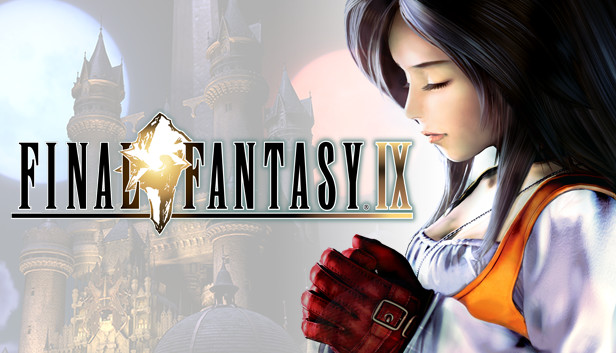
Selling over five million copies since its release in 2000, FINAL FANTASY IX proudly returns on Steam!
Now you can relive the adventures of Zidane and his crew!
Story
Zidane and the Tantalus Theater Troupe have kidnapped Princess Garnet, the heir of Alexandria. To their surprise, however, the princess herself yearned to escape the castle.
Through a series of unusual circumstances, she and her personal guard, Steiner, fall in with Zidane and set out on an incredible journey. Meeting unforgettable characters like Vivi and Quina along the way, they learn about themselves, the secrets of the Crystal, and a malevolent force that threatens to destroy their world.
Gameplay Features
Abilities
Learn new abilities by equipping items. When fully mastered,these abilities can be used even without equipping items,allowing for nearly endless customization options.
Trance
Fill your Trance gauge as you sustain hits in battle. When fully charged, your characters will enter Trance mode, granting them powerful new skills!
Synthesis
Never let items go to waste. Combine two items or pieces of equipment together and make better, stronger items!
Minigames
Whether it's Chocobo Hot and Cold, Jump Rope, or Tetra Master, there are plenty of minigames to enjoy when you're not off saving the world. You can even earn special item rewards!
Additional Features
Achievements
Seven game boosters including high speed and no encounter modes.

Graphics: NVIDIA GeForce 8600GTS or ATI Radeon HD4650 or higher
Storage: 7 GB available space
Directx: Version 9.0c
Sound card: DirectSound® compatible sound card(DirectX®9.0c or later)
windows Recommended
OS: Windows 7/8/8.1/10 (32bit / 64bit)
Processor: Core i5 2520 2.5GHz or better
Memory: 4 GB RAM
Storage: 20 GB available space
Directx: Version 9.0c
Sound card: DirectSound® compatible sound card(DirectX®9.0c or later)
To activate the game, you need a Steam Account
Login or register at the official Steam Website and download Steam client
Install and start application, login with your Account name and Password
Click the Games Menu.
Choose Activate a Product on Steam...
Follow the onscreen instructions to complete the process
After the successful code verification, go to the "MY GAMES" tab and start downloading.
News & Updates
2026-06-11
Celebrate FIFA World Cup 2026 with YUPLAY
The FIFA World Cup 2026 is coming in hot this summer and while these coming weeks it is all going to be centered around the best game in the world of sports, we decided to bring you a dedicated YUPLAY giveaway to commemorate the occasion together! This promotional giveaway campaign invites all of our followers to try and predict the exact final scores of selected matches from the World Cup…
First V-Bucks, Now Steam Decks: Why Gaming is Getting More Expensive
Has gaming been steadily becoming more and more expensive lately? In the past months and quarters there has definitely been an increase in pricing in both the software and hardware departments of gaming and this trend has definitely stricken the market in more than a couple of ways. The industry has experienced a trend of gaming price increases as well as more expensive subscriptions…