Purchase the bundle now to receive all soundtracks and wallpapers from FF1-6!
Soundtracks and Wallpapers will unlock in line with each title’s launch.
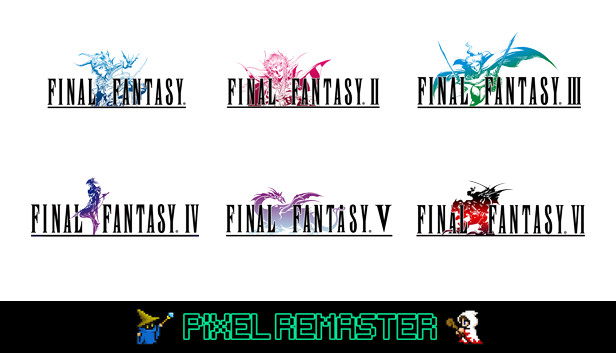
The games that inspired a generation come to life once more, in the ultimate 2D pixel remaster!
Purchase the bundle and receive
FINAL FANTASY
FINAL FANTASY II
FINAL FANTASY III
FINAL FANTASY IV
FINAL FANTASY V
FINAL FANTASY VI
This bundle lets you purchase all six games from FINAL FANTASY 1 to FINAL FANTASY 6 at a discount price. It also contains a special soundtrack, featuring three tracks from each game and two unique wallpapers for each game.
Enjoy universally updated 2D pixel graphics and the beautifully rearranged soundtrack. Gameplay is improved with modernised UI, and extras such as a beastiary, illustration gallery and music player allow further immersion into the world of the game.
FINAL FANTASY, FINAL FANTASY II, FINAL FANTASY III, FINAL FANTASY IV and FINAL FANTASY V are available now to play upon purchase!
FINAL FANTASY VI is coming soon.
*Full bundle will be available upon launch of FINAL FANTASY VI
*These games are newly developed remaster editions based on the original titles. Some of the changes and additional elements found in other remakes of these games are not included.]
KEY FEATURES:
Universally updated 2D pixel graphics, including the iconic FINAL FANTASY character designs created by Kazuko Shibuya, the original artist and current collaborator.
Beautifully rearranged soundtrack in a faithful FINAL FANTASY style, overseen by original composer Nobuo Uematsu.
Improved gameplay, including modernized UI, auto-battle options, and more!
Dive into the world of the game with supplemental extras like the bestiary, illustration gallery, and music player.
OS: Windows 8.1 64-bit / Windows 10 64-bit (ver.1909 and above)
Processor: AMD A8-7600 / Intel® Core™ i3-2105
Memory: 4 GB RAM
Graphics: AMD Radeon™ R7 Graphics / Intel® HD Graphics 3000
Storage: 1 GB available space
To activate the game, you need a Steam Account
Login or register at the official Steam Website and download Steam client
Install and start application, login with your Account name and Password
Click the Games Menu.
Choose Activate a Product on Steam...
Follow the onscreen instructions to complete the process
After the successful code verification, go to the "MY GAMES" tab and start downloading.
News & Updates
2026-02-27
Monthly Recap - February Edition
Even though February is the shortest month of the year it is still quite eventful in the gaming industry and there were quite a few things going on around it! We have selected a few of the more intriguing stories about some of the bigger game title hits that are worthy to be included in our monthly recap, as well as some memorable comebacks that you should not miss out on! Get ready for the rumble as we set out…
Football fans unite and gather for this one as this year’s edition of one of the biggest gaming titles in the sports category – EA Sports FC 27 is coming and rumors around the field have it that there would be an open world to be introduced in the gameplay! We wanted to join the discussion and find out if that is actually a necessity in a sports game, where the main focus should be on the matches…
Some functionality is not accessible when using the default controller configuration, requiring use of the touchscreen or virtual keyboard, or a community configuration
This game sometimes shows mouse, keyboard, or non-Steam-Deck controller icons
Entering some text requires manually invoking the on-screen keyboard
In-game interface text is legible on Steam Deck
This game's default graphics configuration performs well on Steam Deck