2026-10-02
YXP Extra Event: Give Your Next Rank a Boost!
Earn 50 BONUS YXP with every €10+ order! Boost your progress, climb the ranks, and get more from your next purchase during the YXP Extra Event.



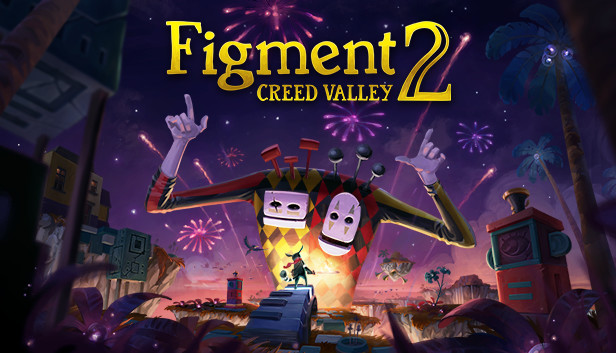
Piano bridges, dancing plants and musical showdowns, ready to dive into The Mind?
Figment 2: Creed Valley is an action-adventure game set in the human mind. Nightmares are spreading chaos and have overrun once-peaceful lands. Join Dusty, The Mind’s courage, as you make your way through puzzles, musical boss fights and unique environments. Face your fears head-on.
Nightmares have shattered the Moral Compass, making The Mind unable to function properly. Dusty and his ever-optimistic sidekick, Piper, must travel to Creed Valley, where The Mind’s ideals are formed to restore peace. A journey filled with musical showdowns and mind-bending puzzles awaits.
Nightmares have their own theme songs, shining light on why they have appeared. Dodge and weave as they taunt you.
Chat with The Mind's ever-changing opinions and tune in to the world's rhythm.
Explore The Mind’s two fundamental states: Open-minded and Closed-minded. Switch between states and adapt to the shifting environment to move forward.
Prove your mental and physical strength through mind-bending puzzles and fights timed to the soundtrack.
We should never have to face our fears alone. Piper is now a controllable character for local co-op. Controller required.
Joy, sadness and everything in between. Figment 2: Creed Valley draws from emotional experiences that affect us all.
Face stress, anxiety and the fear of the dark in a musical and surreal universe.
Grab your sword and restore the light that once was.