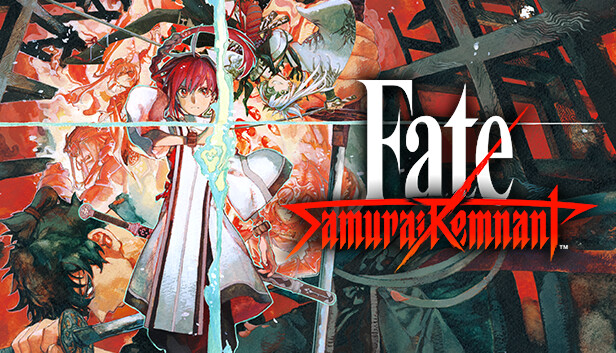
The battle over the Waxing Moon which could grant any and all wishes — the Waxing Moon Ritual. The seven individuals seeking their wish, or Masters, are the bearers of the Ritual. The seven Heroic Spirits, or Servants, are summoned to this world by their Masters. The curtain rises on the battle between the seven Masters with their seven Servants.
Traverse the city of Edo and become victorious in the Waxing Moon Ritual. Fight, explore, converse... Many elements are deeply intertwined in this action RPG!
Key Features
Master and Servant work together during battles Control the Master and Servant during battles and use their bond with each other to survive. Use a variety of attacks to gain an advantage while assessing the enemy and situation of the battle.
Explore Edo Yoshiwara, Kanda, Akasaka... Various famous places in Edo will act as the stage of the Ritual. As you explore the city, you may fight with other Masters, or you may also learn things that will help you grow as a Master. You can interact with the people who live in Edo, replenish your energy at a food stall, or play with dogs and cats.
Various encounters In the town of Edo, you may encounter Rogue Servants. If you deepen your interactions with them and form a bond, they will become reliable allies who will help Iori with their great strength.
Rogue Servants Once you form a bond with Rogue Servants through the Waxing Moon Ritual, you will have the chance to fight alongside them or even control them directly in combat. Overwhelm any enemies that stand in your way with their unrivaled power.
Additional notes: Set the graphics quality to "Low" from Graphics Settings to automatically adjust the settings to 60 FPS @ 1280x720. If you are using Windows® 11, make sure you meet the system requirements for the operating system.
windows Recommended
OS: Windows® 10, 64bit / Windows® 11
Processor: Intel Core i7-4770 / AMD Ryzen 5 2600 or over
Memory: 8 GB RAM
Graphics: NVIDIA GeForce RTX 2060 6GB / AMD Radeon RX5600XT 6GB or over
Additional notes: Set the graphics quality to "High" from Graphics Settings to automatically adjust the settings to 60 FPS @ 1920x1080. If you are using Windows® 11, make sure you meet the system requirements for the operating system.
To activate the game, you need a Steam Account
Login or register at the official Steam Website and download Steam client
Install and start application, login with your Account name and Password
Click the Games Menu.
Choose Activate a Product on Steam...
Follow the onscreen instructions to complete the process
After the successful code verification, go to the "MY GAMES" tab and start downloading.
News & Updates
2026-07-20
Our Way of Saying Thank You
Great games are nothing without loyal gamers and we're grateful to have such an amazing community that supports our store. That’s why we’re launching our special “YUPLAY Is Feeling Generous” campaign as a way of saying “Thank you”. During this campaign, with every order over €30 you will receive a free 10% discount code that can be used during your next purchase…
The FIFA World Cup 2026 is coming in hot this summer and while these coming weeks it is all going to be centered around the best game in the world of sports, we decided to bring you a dedicated YUPLAY giveaway to commemorate the occasion together! This promotional giveaway campaign invites all of our followers to try and predict the exact final scores of selected matches from the World Cup…
This game does not default to external Bluetooth/USB controllers on Deck, and may require manually switching the active controller via the Quick Access Menu
All functionality is accessible when using the default controller configuration
This game shows Steam Deck controller icons
In-game interface text is legible on Steam Deck
This game's default graphics configuration performs well on Steam Deck