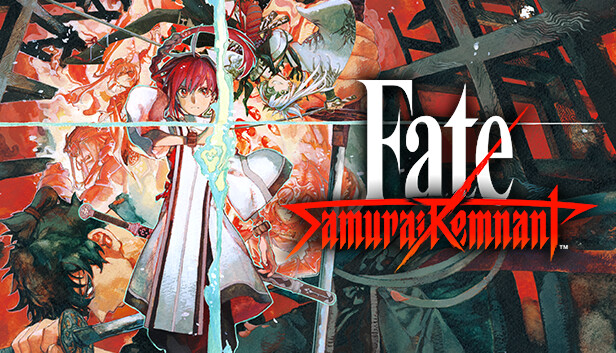
The battle over the Waxing Moon which could grant any and all wishes — the Waxing Moon Ritual. The seven individuals seeking their wish, or Masters, are the bearers of the Ritual. The seven Heroic Spirits, or Servants, are summoned to this world by their Masters. The curtain rises on the battle between the seven Masters with their seven Servants.
Traverse the city of Edo and become victorious in the Waxing Moon Ritual. Fight, explore, converse... Many elements are deeply intertwined in this action RPG!
Key Features
Master and Servant work together during battles Control the Master and Servant during battles and use their bond with each other to survive. Use a variety of attacks to gain an advantage while assessing the enemy and situation of the battle.
Explore Edo Yoshiwara, Kanda, Akasaka... Various famous places in Edo will act as the stage of the Ritual. As you explore the city, you may fight with other Masters, or you may also learn things that will help you grow as a Master. You can interact with the people who live in Edo, replenish your energy at a food stall, or play with dogs and cats.
Various encounters In the town of Edo, you may encounter Rogue Servants. If you deepen your interactions with them and form a bond, they will become reliable allies who will help Iori with their great strength.
Rogue Servants Once you form a bond with Rogue Servants through the Waxing Moon Ritual, you will have the chance to fight alongside them or even control them directly in combat. Overwhelm any enemies that stand in your way with their unrivaled power.
Additional notes: Set the graphics quality to "Low" from Graphics Settings to automatically adjust the settings to 60 FPS @ 1280x720. If you are using Windows® 11, make sure you meet the system requirements for the operating system.
windows Recommended
OS: Windows® 10, 64bit / Windows® 11
Processor: Intel Core i7-4770 / AMD Ryzen 5 2600 or over
Memory: 8 GB RAM
Graphics: NVIDIA GeForce RTX 2060 6GB / AMD Radeon RX5600XT 6GB or over
Additional notes: Set the graphics quality to "High" from Graphics Settings to automatically adjust the settings to 60 FPS @ 1920x1080. If you are using Windows® 11, make sure you meet the system requirements for the operating system.
To activate the game, you need a Steam Account
Login or register at the official Steam Website and download Steam client
Install and start application, login with your Account name and Password
Click the Games Menu.
Choose Activate a Product on Steam...
Follow the onscreen instructions to complete the process
After the successful code verification, go to the "MY GAMES" tab and start downloading.
News & Updates
2026-08-21
The Biggest Games to Steal the Show at Gamescom 2026
Gamescom 2026 is coming at the end of this month with more than 900 exhibitors and we just wanted to showcase some of the upcoming games in the AAA titles category that you should definitely check out! So, be sure to go through our shortlisted future release hits in most gaming genre types, as we get ready to once again explore the world of Gamescom…
ACE COMBAT 8 Could Be the Series’ Most Ambitious Entry
The upcoming Ace Combat 8: Wings of Theve marks a completely new chapter in the popular flight shooting series, by effectively blending cinematic storytelling with the thrills of aerial combat like never before. Developed by Bandai Namco Aces Inc., the game will build upon the decades of established expertise in order to further boost the series’ strong sides…
This game does not default to external Bluetooth/USB controllers on Deck, and may require manually switching the active controller via the Quick Access Menu
All functionality is accessible when using the default controller configuration
This game shows Steam Deck controller icons
In-game interface text is legible on Steam Deck
This game's default graphics configuration performs well on Steam Deck