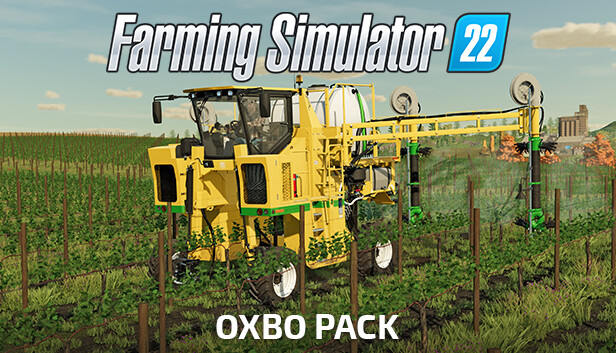
Are you in the market for some specialty harvesting and application technology? With the official Oxbo Pack, you upgrade your fleet of machinery with high-tech equipment by the internationally renowned manufacturer.
With the Oxbo 6030 multi-function grape harvester, you get a versatile machine with configurable harvester and sprayer attachments.
The three-wheeled and sharp-turning Oxbo AT4103 applicator for manure and slurry application offers highly maneuverable steering.
Need even higher capacity? The Oxbo AT5105 also comes with a powered front wheel and steerable rear axles and an even bigger tank.
From the pioneers of the triple merger concept, comes the Oxbo 2340 forage merger with a 12 meter working width for increased productivity of forage production.
Machines included in the Oxbo Pack
Oxbo 6030 - Harvester configuration
Oxbo 6030 - Sprayer configuration
Oxbo AT5105 - LNMS configuration
Oxbo AT5105 - DNMS configuration
Oxbo AT4103 - LNMS configuration
Oxbo AT4103 - DNMS configuration
Oxbo 2340
windows Minimum
OS: Windows 10 Home (x64)
Processor: Intel Core i5-3330 or AMD FX-8320 or better
Memory: 8 GB RAM
Graphics: GeForce GTX 660 or AMD Radeon R7 265 or better (min 2GB VRAM)
Storage: 7 GB available space
Directx: Version 11
Network: Broadband Internet connection
Sound card: Sound card
Additional notes: These system requirements can´t cover all possible system configurations so issues could occur that avoid or influence the functionality in some cases.
windows Recommended
OS: Windows 10 Home (x64)
Processor: Intel Core i5-5675C or AMD Ryzen 5 1600 or better
Memory: 8 GB RAM
Graphics: GeForce GTX 1060 or Radeon RX 570 or better (min 6GB VRAM)
Storage: 7 GB available space
Directx: Version 11
Network: Broadband Internet connection
Sound card: Sound card
Additional notes: These system requirements can´t cover all possible system configurations so issues could occur that influence the functionality in some cases.
To activate the game, you need a Steam Account
Login or register at the official Steam Website and download Steam client
Install and start application, login with your Account name and Password
Click the Games Menu.
Choose Activate a Product on Steam...
Follow the onscreen instructions to complete the process
After the successful code verification, go to the "MY GAMES" tab and start downloading.
News & Updates
2026-10-23
BOO! Giveaway - Win a Game of Your Choice
Make a purchase of any amount between 23.10.2026 15:00 CET and 28.10.2026 15:00 CET, submit your Order ID in our Gleam and get a chance to win a FREE GAME (up to 50€).…