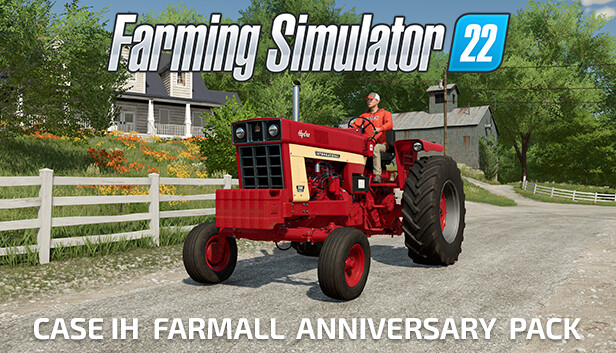
Celebrating the 100th Anniversary of Farmall, you get two iconic Farmall series tractors by Case IH from two exciting eras of agriculture. Authentically digitized for Farming Simulator 22.
Case IH Farmall 1066 Hydro
Manufactured between 1971 and 1976 by International Harvester, this classic six-cylinder diesel tractor remains significantly popular among farmers today, much as it was over half a century ago. It's a tractor that many farmers grew up with, and a piece of machinery that feels as vibrant in their memories as the fresh red paint on a well-preserved Case IH Farmall 1066 Hydro. Its enduring legacy continues in Farming Simulator 22.
Case IH Farmall 120C
A reliable and proven workhorse: No matter the field of application, the red multi-talent of the Farmall C series by Case IH offers up to 120 hp! That’s why the Case IH Farmall 120C is a popular choice among farmers when it comes to grassland farming, intensive field activities or heavy loader tasks. It’s a versatile premium all-rounder, on real and virtual farms!
Processor: Intel Core i5-3330 or AMD FX-8320 or better
Memory: 8 GB RAM
Graphics: GeForce GTX 660 or AMD Radeon R7 265 or better (min 2GB VRAM)
Storage: 7 GB available space
Directx: Version 11
Network: Broadband Internet connection
Sound card: Sound card
Additional notes: These system requirements can´t cover all possible system configurations so issues could occur that influence the functionality in some cases.
windows Recommended
OS: Windows 10 Home (x64)
Processor: Intel Core i5-5675C or AMD Ryzen 5 1600 or better
Memory: 8 GB RAM
Graphics: GeForce GTX 1060 or Radeon RX 570 or better (min 6GB VRAM)
Storage: 7 GB available space
Directx: Version 12
Network: Broadband Internet connection
Sound card: Sound card
Additional notes: These system requirements can´t cover all possible system configurations so issues could occur that influence the functionality in some cases.
To activate the game, you need a Steam Account
Login or register at the official Steam Website and download Steam client
Install and start application, login with your Account name and Password
Click the Games Menu.
Choose Activate a Product on Steam...
Follow the onscreen instructions to complete the process
After the successful code verification, go to the "MY GAMES" tab and start downloading.
News & Updates
2026-06-11
Celebrate FIFA World Cup 2026 with YUPLAY
The FIFA World Cup 2026 is coming in hot this summer and while these coming weeks it is all going to be centered around the best game in the world of sports, we decided to bring you a dedicated YUPLAY giveaway to commemorate the occasion together! This promotional giveaway campaign invites all of our followers to try and predict the exact final scores of selected matches from the World Cup…
First V-Bucks, Now Steam Decks: Why Gaming is Getting More Expensive
Has gaming been steadily becoming more and more expensive lately? In the past months and quarters there has definitely been an increase in pricing in both the software and hardware departments of gaming and this trend has definitely stricken the market in more than a couple of ways. The industry has experienced a trend of gaming price increases as well as more expensive subscriptions…