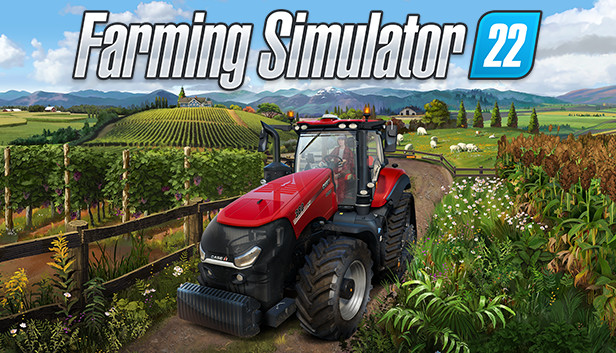
Take on the role of a modern farmer and creatively build your farm in three diverse American and European environments. Farming Simulator 22 offers a huge variety of farming operations focusing on agriculture, animal husbandry and forestry - now with the exciting addition of seasonal cycles!
More than 400 machines and tools from over 100 real agricultural brands like John Deere, CLAAS, Case IH, New Holland, Fendt, Massey Ferguson, Valtra and many more are included to sow and harvest crops like wheat, corn, potatoes and cotton. New machine categories and crops will add new gameplay mechanics to the experience.
Even run your farm cooperatively in multiplayer and extend the game by a multitude of free community-created modifications. Farming Simulator 22 offers more player freedom than ever before and challenges you to become a successful farmer - so start farming and let the good times grow!
Processor: Intel Core i5-3330 or AMD FX-8320 or better
Memory: 8 GB RAM
Graphics: GeForce GTX 660 or AMD Radeon R7 265 or better (min 2GB VRAM)
Storage: 35 GB available space
Directx: Version 11
Sound card: Sound card
Additional notes: These system requirements can´t cover all possible system configurations so issues could occur that avoid or influence the functionality in some cases.
windows Recommended
OS: Windows 10 Home (x64)
Processor: Intel Core i5-5675C or AMD Ryzen 5 1600 or better
Memory: 8 GB RAM
Graphics: GeForce GTX 1060 or Radeon RX 570 or better (min 6GB VRAM)
Storage: 35 GB available space
Directx: Version 11
Sound card: Sound card
Additional notes: These system requirements can´t cover all possible system configurations so issues could occur that avoid or influence the functionality in some cases.
To activate the game, you need a Steam Account
Login or register at the official Steam Website and download Steam client
Install and start application, login with your Account name and Password
Click the Games Menu.
Choose Activate a Product on Steam...
Follow the onscreen instructions to complete the process
After the successful code verification, go to the "MY GAMES" tab and start downloading.
News & Updates
2026-10-23
BOO! Giveaway - Win a Game of Your Choice
Make a purchase of any amount between 23.10.2026 15:00 CET and 28.10.2026 15:00 CET, submit your Order ID in our Gleam and get a chance to win a FREE GAME (up to 50€).…
Some in-game text is small and may be difficult to read
This game does not default to external Bluetooth/USB controllers on Deck, and may require manually switching the active controller via the Quick Access Menu
All functionality is accessible when using the default controller configuration
This game shows Steam Deck controller icons
This game's default graphics configuration performs well on Steam Deck