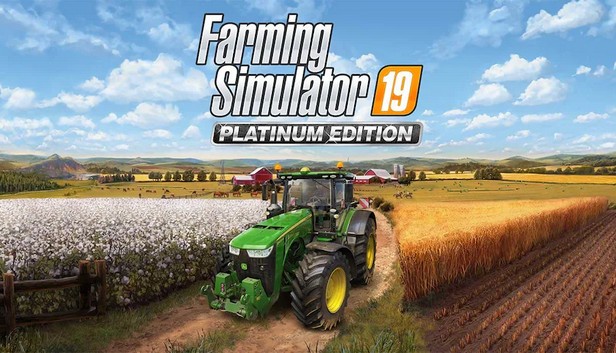
Take on the role of a modern farmer in Farming Simulator 19 Platinum Edition! For the first time in the franchise history, discover CLAAS, one of the world's leading farming brands. Enjoy loads of exclusive vehicles to help you to build, develop and expand your farm in two huge environments filled with exciting activities, crops to harvest and animals to tend to.
Drive the biggest roster of authentic farming vehicles ever seen in a Farming Simulator game, with over 380 vehicles and pieces of equipment! Exclusive to the Platinum Edition, over 35 new vehicles and tools from CLAAS, join the other biggest names in the industry - John Deere, Case IH, New Holland, Challenger, Fendt, Massey Ferguson, Valtra, and more.
Harvest all kinds of crops, diversify your activities with forestry, tend to your livestock - pigs, cows, sheep, chickens - and ride your horses. Grow your farm online with other players and download community-created mods for an ever-expanding Farming Simulator experience!
MAIN FEATURES
Drive and use over 380 authentic vehicles and tools from 100 of the biggest manufacturers, including famous brand CLAAS for the first time.
Grow, harvest and sell all kinds of crops - sunflowers, soybeans, wheat, sugarcane, cotton, and many more.
Tend to your livestock including pigs, cows, sheep, chicken, and horses.
Ride your own horses and explore the vast areas offered in huge open European and American maps loaded with farming activities.
Develop your farm online with up to 16 players and enrich your Farming experience with community-created mods on consoles and PC.
Graphics: Nvidia Geforce GTX 650, AMD Radeon HD 7770 graphics card or better (min. 2 GB VRAM, DX11 support)
Storage: 20 GB available space
Network: Broadband Internet connection
Additional notes: INTERNET CONNECTION REQUIRED FOR THE ONLINE GAME
To activate the game, you need a Steam Account
Login or register at the official Steam Website and download Steam client
Install and start application, login with your Account name and Password
Click the Games Menu.
Choose Activate a Product on Steam...
Follow the onscreen instructions to complete the process
After the successful code verification, go to the "MY GAMES" tab and start downloading.
News & Updates
2026-06-11
Celebrate FIFA World Cup 2026 with YUPLAY
The FIFA World Cup 2026 is coming in hot this summer and while these coming weeks it is all going to be centered around the best game in the world of sports, we decided to bring you a dedicated YUPLAY giveaway to commemorate the occasion together! This promotional giveaway campaign invites all of our followers to try and predict the exact final scores of selected matches from the World Cup…
First V-Bucks, Now Steam Decks: Why Gaming is Getting More Expensive
Has gaming been steadily becoming more and more expensive lately? In the past months and quarters there has definitely been an increase in pricing in both the software and hardware departments of gaming and this trend has definitely stricken the market in more than a couple of ways. The industry has experienced a trend of gaming price increases as well as more expensive subscriptions…