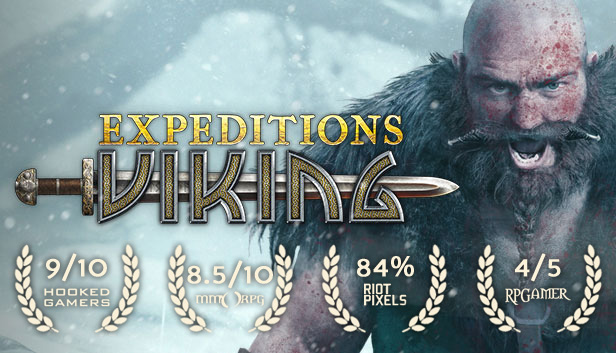
Get ready for an adventure in history! Logic Artists, the makers of Expeditions: Conquistador, are pleased to bring you Expeditions: Viking.
Prepare for a grand adventure
As the newly appointed chieftain of a modest Viking clan, you’ll have a village of your very own. But to carve your name into the runestones of history you’ll need great strength, and great wealth to grow your village’s prosperity and renown. There is little left to be gained from the Norse lands and so you must set your sights on the the seas to the West, where tales speak of a great island filled with treasure ready for the taking.
Seek your fortune
Your trusted huscarls will follow you to Valhalla if that be the order of the day, but you’ll need more than loyalty to leave a legacy that will be remembered for a thousand years. Now assemble a worthy band of warriors, build a ship, and seek your wealth and glory across the sea. Britannia awaits in Logic Artists’ Expeditions: Viking.
Key Features:
Create your very own Viking chieftain! Carve out your character from our unique character system, where stats, skills, and abilities define your character’s role.
Raiding or Trading? Vikings were known not only as violent warriors, but savvy tradesfolk. How will you find wealth, with the carrot or the stick?
War and Politics: Side with various factions be they Norsemen, Picts, or Angles.
Reputation: Be mindful of your choices, the stories of your actions may bring others to fear you, but will they trust you?
Step into the pages of history: In a beautiful and visceral telling of the Nordic history.
windows Minimum
OS: Windows 7
Processor: Intel Core2 Quad Q9400 2.66 GHz
Memory: 4 GB RAM
Graphics: NVIDIA GeForce GTS 450
Storage: 12 GB available space
Directx: Version 11
Sound card: DirectX Compatible Sound Card
windows Recommended
OS: Windows 10
Processor: Intel Core i7 3.4GHz
Memory: 8 GB RAM
Graphics: Nvidia GTX 660
Storage: 12 GB available space
Directx: Version 11
Sound card: DirectX Compatible Sound Card
To activate the game, you need a Steam Account
Login or register at the official Steam Website and download Steam client
Install and start application, login with your Account name and Password
Click the Games Menu.
Choose Activate a Product on Steam...
Follow the onscreen instructions to complete the process
After the successful code verification, go to the "MY GAMES" tab and start downloading.
News & Updates
2026-08-21
The Biggest Games to Steal the Show at Gamescom 2026
Gamescom 2026 is coming at the end of this month with more than 900 exhibitors and we just wanted to showcase some of the upcoming games in the AAA titles category that you should definitely check out! So, be sure to go through our shortlisted future release hits in most gaming genre types, as we get ready to once again explore the world of Gamescom…
ACE COMBAT 8 Could Be the Series’ Most Ambitious Entry
The upcoming Ace Combat 8: Wings of Theve marks a completely new chapter in the popular flight shooting series, by effectively blending cinematic storytelling with the thrills of aerial combat like never before. Developed by Bandai Namco Aces Inc., the game will build upon the decades of established expertise in order to further boost the series’ strong sides…
Some functionality is not accessible when using the default controller configuration, requiring use of the touchscreen or virtual keyboard, or a community configuration
This game sometimes shows mouse, keyboard, or non-Steam-Deck controller icons
Entering some text requires manually invoking the on-screen keyboard
Some in-game text is small and may be difficult to read
This game doesn't support Steam Deck's native display resolution and may experience degraded performance
This game's default graphics configuration performs well on Steam Deck