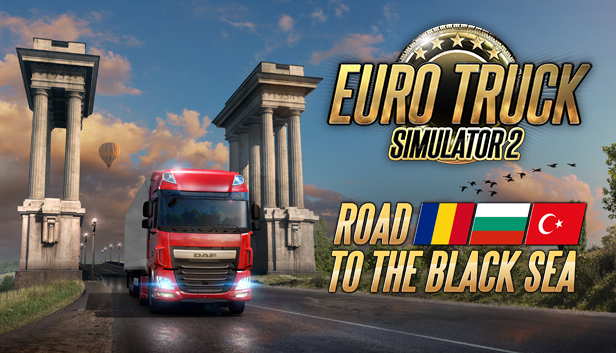
Road to the Black Sea brings three new European regions. Drivers will be able to expand their company and deliver to the countries of Romania, known for the forested region of Transylvania and the surrounding Carpathian Mountain range, Bulgaria with its diverse terrain and Black Sea coastline, and the Trakya region of Turkey which is the gateway to Europe's largest city, Istanbul.
A significant parts of Road to the Black Sea map are composed of dense urban areas. From large cities to small humble villages found in the countrysides, truckers will also be able to drive on roads which lead to scenic coastlines alongside the Black Sea.
These regions offer a large variety of industries for players to deliver to and from; including farms, logistics companies, mining and steel industries.
Key Features
Romania, Bulgaria, and the European part of Turkey to explore
Border crossings - including feature-rich border controls
River ferry over the Danube (Dunaj)
20 new major populated cities with garages
Europe's largest city, Istanbul
Multitude of smaller towns and settlements
Over 10,000 kilometers of roads to drive on
22 new companies to drive for
11 new local company docks and industries
Most famous landmarks and recognizable places
Detailed characteristic Balkan architecture
Wide range of brand new unique 3D-assets
Lush typical regional vegetation
Local AI trains, trams, and traffic cars
Horse carts - for Bulgarian and Romanian countrysides
Black Sea region achievements to unlock
(c) 2019 SCS Software. All brand names, trademarks, registered marks, logos, and symbols on vehicles in the game are property of their rightful owners. Used with kind permission.
windows Minimum
OS: Windows 7
Processor: Dual core CPU 2.4 GHz
Memory: 4 GB RAM
Graphics: GeForce GTS 450-class (Intel HD 4000)
windows Recommended
OS: Windows 7/8.1/10 64-bit
Processor: Quad core CPU 3.0 GHz
Memory: 6 GB RAM
Graphics: GeForce GTX 760-class (2 GB)
To activate the game, you need a Steam Account
Login or register at the official Steam Website and download Steam client
Install and start application, login with your Account name and Password
Click the Games Menu.
Choose Activate a Product on Steam...
Follow the onscreen instructions to complete the process
After the successful code verification, go to the "MY GAMES" tab and start downloading.
News & Updates
2026-10-02
YXP Extra Event: Give Your Next Rank a Boost!
Earn 50 BONUS YXP with every €10+ order! Boost your progress, climb the ranks, and get more from your next purchase during the YXP Extra Event.