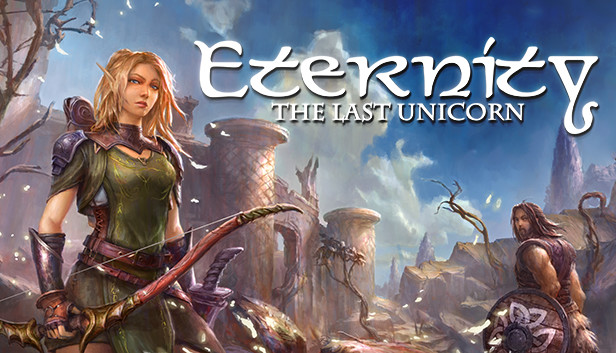
Eternity: The Last Unicorn is a fully featured action RPG inspired by tales from Norse Mythology with classic game mechanics that bring a nostalgic feeling to players.
Aurehen is a young, pureblood Elf on a quest to free the last Unicorn. This creature has been captured and cursed by witches. Travel through mesmerizing locations, meet fantasy characters and fight to protect Elven immortality. Pursue Eternity!
KEY FEATURES
Level up your weapons, acquire new skills and abilities as you progress through the game.
A fixed-camera system that used to be commonly present in old-school games..
Discover and use new and more powerful items as you progress through the game.
Two playable characters: The young elf, Aurehen, and the Viking, Bior - each with a unique backstory and character abilities.
Over 12 hours of gameplay.
A soundtrack that captures the Nordic and fantastical themes of the world of Eternity.
In a land destroyed by a curse, the young elf, Aurehen, is called upon to save the last unicorn and restore peace to the Reign of Alfheim. According to the ancient scrolls, only Aurehen can touch the Unicorn and free him and the elves from this evil curse.
With the support of Bior, a Viking searching for his missing troops, Aurehen will explore the large and beautiful realm of Vanaheim, a universe and culture inspired by Nordic folklore. Meet friends and defeat evil monsters to seal your fate... The time has come to claim Eternity.
Based on Nordic folklore:
Nordic Gods and Mythology: Experience firsthand the kindness and wrath of the Gods in Nordic Mythology.
Mythological Creatures: Meet creatures from Nordic mythology including Jotuns, the Giant Wolf (Fenrir), Vikings and a Witch (Gullveig).
Nordic Symbolism: Statues, paintings and weapons referencing Nordic mythology.
Nordic Items: The Gungnir Stone, Runes, Essence of Eir, Mead, and Freya's Pearl.
Architecture and Scenery: Fensallyr, Naglfar, Skadi Temple, Yggdrasil Garden, and Vanaheim.
Login or register at the official Steam Website and download Steam client
Install and start application, login with your Account name and Password
Click the Games Menu.
Choose Activate a Product on Steam...
Follow the onscreen instructions to complete the process
After the successful code verification, go to the "MY GAMES" tab and start downloading.
News & Updates
2026-10-23
BOO! Giveaway - Win a Game of Your Choice
Make a purchase of any amount between 23.10.2026 15:00 CET and 28.10.2026 15:00 CET, submit your Order ID in our Gleam and get a chance to win a FREE GAME (up to 50€).…