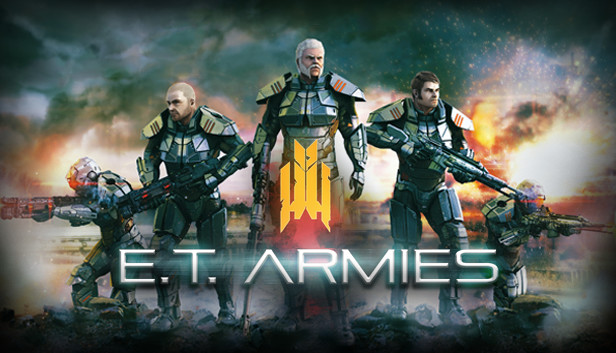
E.T. Armies is an action-packed, fast-paced, science-fiction first person shooter. The game takes place in a dystopian future in which Earth’s resources have been depleted. Abandoning the planet seemed to be the only avenue for survival but not all could leave. Those left behind have become united in their struggle. It’s just the beginning for the Forsaken and the start of their devastating plan for vengeance. The Forsaken hungers for supremacy and power in equal measures and war is its lifeblood.
As a Parsis soldier you are charged to resist this new power and defend the fragile landscape against the Forsaken’s ruthless onslaught. Along the way you’ll face more strife than you could have possibly expected, together with your allies you must fight to cleanse the land from the Forsaken’s brutality.
Main Features:
Experience challenging combat against a variety of enemies.
Three detailed and unique environments from old historical looking ruins to an abandoned factory.
Test your skills against your friends in the online multiplayer mode.
Complete Brutal mode to prove your FPS skills.
High quality, polished and unique indie visuals.
Epic scores to immerse you in the battle experience.
windows Minimum
OS: Windows XP
Processor: 2Ghz Dual Core
Memory: 4 GB RAM
Graphics: 512 MB Graphics Card Supporting DirectX 9.0c and Shader Model 3.0 (NVIDIA 9800 GTX or AMD HD 5670)
Storage: 4 GB available space
Directx: Version 9.0c
Additional notes: Broadband Internet connection (for Online Multiplayer)
windows Recommended
OS: Windows XP, Windows 7, Windows 8 and Windows 10
Processor: 3Ghz Dual Core
Memory: 6 GB RAM
Graphics: 1024MB Graphics Card Supporting DirectX 9.0c and Shader Model 3.0 (NVIDIA GTX 460 or AMD HD 6850)
Storage: 4 GB available space
Directx: Version 9.0c
Additional notes: Broadband Internet connection (for Online Multiplayer)
To activate the game, you need a Steam Account
Login or register at the official Steam Website and download Steam client
Install and start application, login with your Account name and Password
Click the Games Menu.
Choose Activate a Product on Steam...
Follow the onscreen instructions to complete the process
After the successful code verification, go to the "MY GAMES" tab and start downloading.
News & Updates
2026-10-02
YXP Extra Event: Give Your Next Rank a Boost!
Earn 50 BONUS YXP with every €10+ order! Boost your progress, climb the ranks, and get more from your next purchase during the YXP Extra Event.