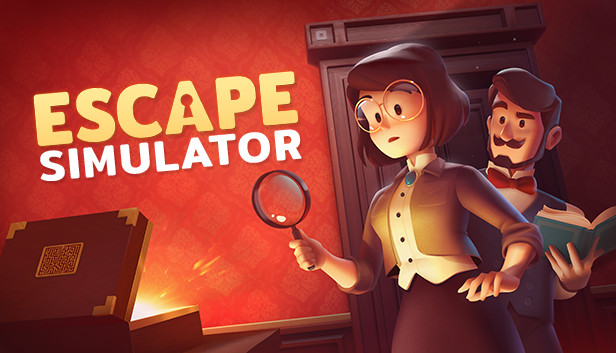
Escape Simulator is a first-person puzzler you can play solo or in an online co-op. Explore a growing set of highly interactive escape rooms. Move furniture, pick up and examine everything, smash pots and break locks! Supports community-made rooms through the level editor.
Interactive Puzzles: Rummage through 23 rooms filled with puzzles designed by real-life escape room operators. If something is not nailed to the wall, you can pick it up.
Online Co-Op: All the rooms are playable in an online co-op. We recommend to play built-in rooms with up to 3 players (but you're welcome to play with more). Community rooms have been tested with up to 10 people. Customize your character and join with friends to work-out puzzles together. More heads are better than one!
Examine Everything: Read through books, examine ancient artifacts and find clues to riddles. Need to cross-reference a clue? No, problem - just pin it to the screen.
Community-Made Rooms: The game includes a room editor with which you can design your own escape rooms and puzzles. Through workshop integration, you get to play awesome things the community has created.
23 rooms are arranged into packs:
Labyrinth of Egypt
"You and your mentor discovered the ancient Labyrinth of Egypt. By accident, he activated a trap, and you got separated, with no way out in sight."
Adrift in Space
"An explosion wakes you up. Your spaceship has been hit by debris, and you're heading straight into the sun."
Edgewood Mansion
"You were invited to attend a special dinner at Dr. Edgewood's mansion. Instead of eating food, you'll be solving a victorian mystery."
Omega Corporation
"Your friend disappeared while investigating the mysterious Omega Corporation. Follow their tracks and uncover the truth."
Extras
Visit Santa's Workshop, play with Cats in Time, or visit crazy 70's!
Pine Studio - 2021
windows Minimum
OS: Windows 7 (SP1+)
Processor: X64 architecture with SSE2 instruction set support
Memory: 2 GB RAM
Graphics: DX10-capable GPU
Storage: 14 GB available space
To activate the game, you need a Steam Account
Login or register at the official Steam Website and download Steam client
Install and start application, login with your Account name and Password
Click the Games Menu.
Choose Activate a Product on Steam...
Follow the onscreen instructions to complete the process
After the successful code verification, go to the "MY GAMES" tab and start downloading.
News & Updates
2026-08-21
The Biggest Games to Steal the Show at Gamescom 2026
Gamescom 2026 is coming at the end of this month with more than 900 exhibitors and we just wanted to showcase some of the upcoming games in the AAA titles category that you should definitely check out! So, be sure to go through our shortlisted future release hits in most gaming genre types, as we get ready to once again explore the world of Gamescom…
ACE COMBAT 8 Could Be the Series’ Most Ambitious Entry
The upcoming Ace Combat 8: Wings of Theve marks a completely new chapter in the popular flight shooting series, by effectively blending cinematic storytelling with the thrills of aerial combat like never before. Developed by Bandai Namco Aces Inc., the game will build upon the decades of established expertise in order to further boost the series’ strong sides…