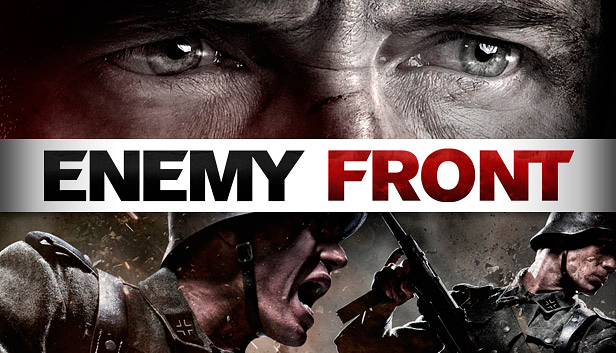
ENEMY FRONT is the first truly modern WW2 FPS, featuring stunning visuals, open-ended levels and a richly interactive combat experience that breaks out of the standard model of highly linear scripted FPS experiences, giving the player full freedom to own their playing style. Intense Combat, Sniping, Stealth and Sabotage – all are viable approaches for the player, maximizing player engagement and replayability. Against the visceral backdrop of breathtaking European locales, the player takes on the role of American Robert Hawkins, as he fights hand in hand with Resistance Fighters opposing the Nazi juggernaut in France, Germany, Norway, and during the Warsaw Uprising.
Choose your own fight: gameplay blends fast-paced FPS action with precision sniping thrilling stealth, and deadly sabotage in the first open-ended WW2 game.
Deal death from afar: use sniper rifles to decimate enemy ranks and pick off officers, enemy snipers and heavy weapons gunners with deadly precision.
Breathtaking visuals, interactive environments and spectacular action across many iconic Resistance operations of WW2.
Choose your own weapon: full arsenal of WW2 weaponry across all categories of hand-guns, SMGs, assault rifles, sniper rifles, as well as signature Resistance weapons including the Sten gun, Welrod Silenced Pistol, and Lightning SMG.
Own the battlefield: combine reconnaissance, explosives and marksmanship to prepare, misdirect and ambush numerically superior Nazi troops.
Engaging, destructible environments and advanced tactical AI means combat is always a rewarding and dynamic experience.
Highly replayable 10 hour Single-Player Campaign and 12-player Online Multiplayer, all powered by CRYENGINE technology.
OS: Windows XP, Vista or Windows 7, with the latest Service Pack
Processor: Intel Core 2 Duo at 2Ghz, or AMD Athlon 64 x2 2Ghz, or better
Memory: 3 GB RAM
Graphics: NVidia 8800GT with 512Mb RAM or better
Storage: 10 GB available space
Directx: Version 9.0c
To activate the game, you need a Steam Account
Login or register at the official Steam Website and download Steam client
Install and start application, login with your Account name and Password
Click the Games Menu.
Choose Activate a Product on Steam...
Follow the onscreen instructions to complete the process
After the successful code verification, go to the "MY GAMES" tab and start downloading.
News & Updates
2026-03-30
Join the Easter Raid Party and Win a Free Game
The Easter season is here and since we like this part of the year so much, we have made sure to have prepared a special YUPLAY promotional campaign for those of you that are ready to go into the Raid Party and grab a FREE gaming title. All you have to do is make an order above 20€ between 02.04.2026 15:00 CET and 08.04.2026 15:00 CET, and you will get a FREE game as ab Easter present from us…
Early Spring season has definitely delivered on some exciting updates, game announcements, and promising releases to be on the lookout for until the end of this year. So, let’s immediately have a better look at some of the more outstanding news that happened on the gaming scene during the month of March 2026 that we decided to cover for you…
This game does not default to external Bluetooth/USB controllers on Deck, and may require manually switching the active controller via the Quick Access Menu
All functionality is accessible when using the default controller configuration
This game shows Steam Deck controller icons
In-game interface text is legible on Steam Deck
This game's default graphics configuration performs well on Steam Deck