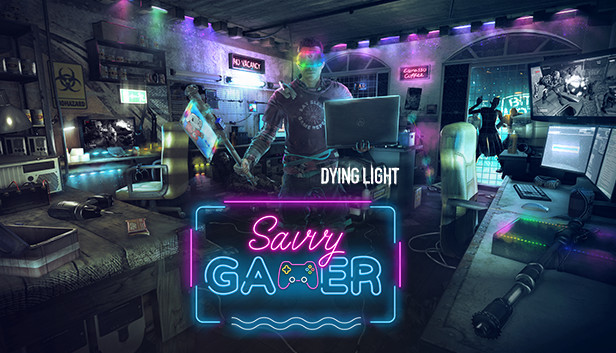
No one wants to get their screen scratched, but some situations require sacrifices. Like the zombie-apocalypse situation. It’s either this new, shiny tablet or you. And in Harran, you must always choose you. Fortunately, you’ve got just enough of too long, tangled cables that have been waiting all those years to finally come in useful and colourful LED lights (because we all know everything’s better backlit) to turn your hardware into deadly and stylish weapons. Well, more than that. Gaming weapons! That instantly makes them better, right?
Now, it’s time to show the infected your new gear! Chain at least three hits with the new one-handed axe—RGB AXE-Pad—to apply shock damage! Or, if you’d rather use something heavier, smash them with the Next-Gen Maul hammer. Use a charged attack to let its power flow through the circuit and shock your enemies. But sometimes it’s better not to come too close, and for that, you’ve got the LED Meta Bow. It glows, it shoots, and, most importantly, it keeps you away from the bloodthirsty monsters! But let’s not forget about the pinnacle of your crafting skills! Some extra lights here and there, just a little bit of polishing, and your buggy has turned into this cool 4wheelz ride! So, jump right into it, put on your 1337 G4m3R VR headset (Careful! It might affect your vision!) and let’s get out of this mess!
The bundle contains:
Outfit—1337 G4m3R
Buggy skin—4wheelz
One-handed axe—RGB AXE-Pad: Applies shock after the third consecutive hit
Hammer—Next-Gen Maul: Applies shock damage on charged attacks
Additional notes: Laptop versions of graphics cards may work but are NOT officially supported.Windows-compatible keyboard, mouse, optional controller (Xbox 360 Controller for Windows recommended)
To activate the game, you need a Steam Account
Login or register at the official Steam Website and download Steam client
Install and start application, login with your Account name and Password
Click the Games Menu.
Choose Activate a Product on Steam...
Follow the onscreen instructions to complete the process
After the successful code verification, go to the "MY GAMES" tab and start downloading.
News & Updates
2026-01-16
Winter is the Perfect Time to Get Some Extra YXP
Winter season is much better with more games to play, so let’s kick-off 2026 with a storewide promotion bang and YXP level-ups then, shall we? For the first promo campaign this year we have prepared some incredible price drops and offers that you simply can’t miss out on! For the very short duration of only 3 days, you will have the opportunity to earn 50 extra YXP points in your account by making an order over 10€ …
Dive into Adrenaline-Fueled Battles in Code Vein II
We are starting the year with a review for a title that is ready to hit the market hard, because Code Vein II is the upcoming sequel to the 2019 soulslike Action RPG developed by Bandai Namco Studios. The game’s Steam page is already getting a lot of attention and for those of you looking to find out what is new in the gameplay and storyline compared to the original title, well… you are at the right place!