This content requires the base game Dying Light on Steam in order to play.
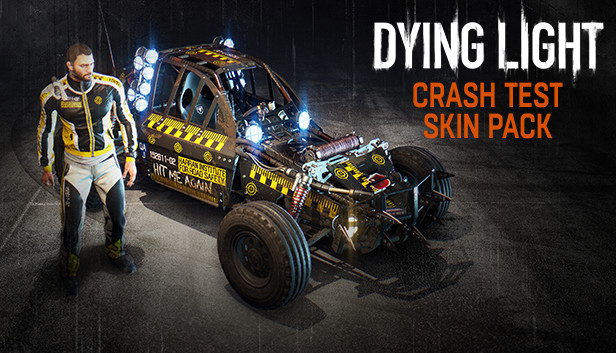
If you like to hit, break, and smash things, this crash test pack is just for you! Get a skull-themed racing suit and a crash test paint job to customize your in-game buggy. Note: This content requires Dying Light: The Following expansion pack.
Additional notes: Laptop versions of graphics cards may work but are NOT officially supported.Windows-compatible keyboard, mouse, optional controller (Xbox 360 Controller for Windows recommended)
Additional notes: Laptop versions of graphics cards may work but are NOT officially supported.Windows-compatible keyboard, mouse, optional controller (Xbox 360 Controller for Windows recommended)
To activate the game, you need a Steam Account
Login or register at the official Steam Website and download Steam client
Install and start application, login with your Account name and Password
Click the Games Menu.
Choose Activate a Product on Steam...
Follow the onscreen instructions to complete the process
After the successful code verification, go to the "MY GAMES" tab and start downloading.
News & Updates
2026-10-23
BOO! Giveaway - Win a Game of Your Choice
Make a purchase of any amount between 23.10.2026 15:00 CET and 28.10.2026 15:00 CET, submit your Order ID in our Gleam and get a chance to win a FREE GAME (up to 50€).…