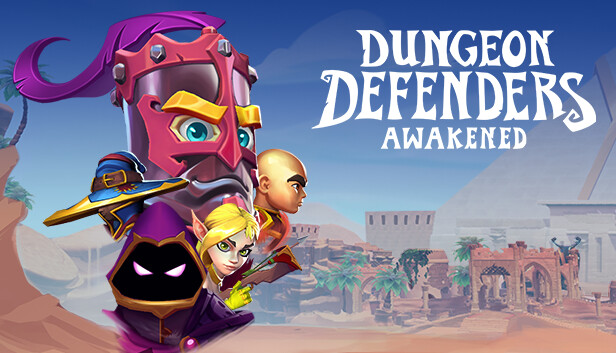
The Dungeon Defenders franchise is finally making its glorious return with Dungeon Defenders: Awakened from Chromatic Games.
About the Game
Dungeon Defenders: Awakened is a cooperative Action RPG/Tower Defense game that brings loot, leveling, pets, and character customization to a legendary 4‑player co‑op experience.
The past has been altered! Team up with up to four players as you level up, claim legendary loot, and take on the armies of enemies that await you! Choose your hero and construct an epic defense to fight off hordes of enemies while you jump into the fray to protect Etheria.
Protect Your Eternia Crystal!
Master the Squire, Huntress, Apprentice, and Monk to fight off hundreds of minions bent on mayhem! Build and utilize your arsenal of blockades, towers, traps, and auras to keep the Eternia Crystals safe. The only requirement is to win, but it’s up to you to choose how!
Party Up
Defending Etheria is better with friends! Bring three of your friends online to jump into the fray with you!
Make It Rain Loot
Gain a plethora of loot while fighting off waves of foes that approach! Swords, crossbows, staves, polearms, axes, grenade launchers, beam sabers, and so much more are yours for the taking.
Customize, Customize, Customize
Everything about Dungeon Defenders: Awakened is chosen by you. The gear you use, the way your hero looks, where you build your defenses, which defenses you build — you are the master of your destiny in Etheria!
Graphics: Nvidia GeForce GTX 750 or AMD Radeon HD 8760
Storage: 30 GB available space
Directx: 11
Network: Broadband Internet connection
Additional notes: Shader Model 5 GPU Required
windows Recommended
OS: Windows 10 (64-bit Only)
Processor: Intel Core i7-4770K or AMD Ryzen 5 1500X
Memory: 8 GB RAM
Graphics: Nvidia GeForce GTX 1050 or AMD RX 470
Storage: 30 GB
Directx: 11
Network: Broadband Internet connection
Sound card: Shader Model 5 GPU Required
To activate the game, you need a Steam Account
Login or register at the official Steam Website and download Steam client
Install and start application, login with your Account name and Password
Click the Games Menu.
Choose Activate a Product on Steam...
Follow the onscreen instructions to complete the process
After the successful code verification, go to the "MY GAMES" tab and start downloading.
News & Updates
2026-07-15
Celebrate FIFA World Cup 2026 with YUPLAY
The FIFA World Cup 2026 is coming in hot this summer and while these coming weeks it is all going to be centered around the best game in the world of sports, we decided to bring you a dedicated YUPLAY giveaway to commemorate the occasion together! This promotional giveaway campaign invites all of our followers to try and predict the exact final scores of selected matches from the World Cup…
The Best Warhammer 40K Games Every Fan Should Play (Part II)
Last time we discussed many awesome gaming titles that belong in the Warhammer 40k universe and even though we previously covered a lot of battlegrounds, there are still plenty of others left to be overviewed, this is why we are happy to deliver on our given promise and are bringing you the other hit games that we would recommend to check out on Steam, if you have not done so already…