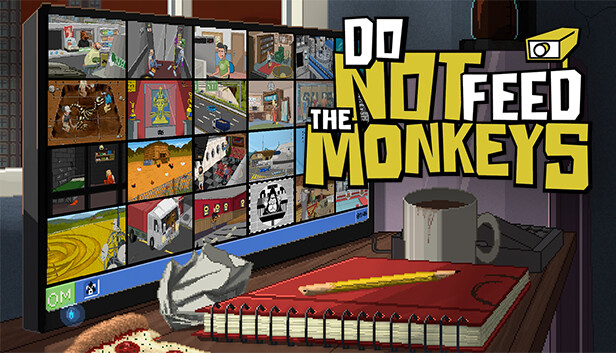
You are invited to join “The Primate Observation Club”, where you will observe the lives of caged monkeys and carefully analyze the information obtained.
GLOSSARY OF TERMS:
THE PRIMATE OBSERVATION CLUB: a shadowy group that observes other people through surveillance cameras and compromised webcams.
YOU: the newest member of the CLUB, tired of your run-down apartment, dull existence and boring job.
MONKEYS: dozens of strangers who have fallen prey to your voyeurism.
VOYEURISM: Exactly what you think it is (and also the reason why we’re rated “MATURE”).
PRIVACY: Something that the monkeys think they have.
PC (PERSONAL COMPUTER): Yep, we put a PC in your game that’s on your PC so that you can work on a PC while you’re playing the game that’s on your PC!
FEEDING THE MONKEYS: Interacting or interfering with the subjects in any way. Feeding the monkeys is strictly prohibited.
SHIT HITTING THE FAN: What may (or may not) happen if you feed the monkeys.
Oddly enough, club members keep feeding the monkeys as though they just can’t abide by this very simple rule! How about you? Will you help those you’re spying on, extort them, expose them and sabotage their dreams, or will you follow your instructions and sit twiddling your thumbs while the world burns?
windows Minimum
OS: Windows 7 SP1
Processor: 2 GHz Dual Core CPU
Memory: 2 GB RAM
Graphics: Nvidia GeForce 8600 GS, ATI Radeon HD 3470
Storage: 1 GB available space
Directx: Version 9.0c
Sound card: DirectX 9.0c Compatible Sound Card with Latest Drivers
Additional notes: Using the Minimum Configuration, we strongly recommend to use minimal settings in order to not experience low frame rates.
windows Recommended
OS: Windows 7 SP1, Windows 8 (32/64), Windows 10
Processor: 2.6 Ghz Dual Core CPU
Memory: 4 GB RAM
Graphics: Nvidia GeForce GT 610, ATI Radeon HD 4650 Series or higher
Storage: 1 GB available space
Directx: Version 9.0c
Sound card: DirectX 9.0c Compatible Sound Card with Latest Drivers
To activate the game, you need a Steam Account
Login or register at the official Steam Website and download Steam client
Install and start application, login with your Account name and Password
Click the Games Menu.
Choose Activate a Product on Steam...
Follow the onscreen instructions to complete the process
After the successful code verification, go to the "MY GAMES" tab and start downloading.
News & Updates
2026-03-30
Join the Easter Raid Party and Win a Free Game
The Easter season is here and since we like this part of the year so much, we have made sure to have prepared a special YUPLAY promotional campaign for those of you that are ready to go into the Raid Party and grab a FREE gaming title. All you have to do is make an order above 20€ between 02.04.2026 15:00 CET and 08.04.2026 15:00 CET, and you will get a FREE game as ab Easter present from us…
Early Spring season has definitely delivered on some exciting updates, game announcements, and promising releases to be on the lookout for until the end of this year. So, let’s immediately have a better look at some of the more outstanding news that happened on the gaming scene during the month of March 2026 that we decided to cover for you…
Some functionality is not accessible when using the default controller configuration, requiring use of the touchscreen or virtual keyboard, or a community configuration
This game sometimes shows mouse, keyboard, or non-Steam-Deck controller icons
In-game interface text is legible on Steam Deck
This game's default graphics configuration performs well on Steam Deck