2026-10-23
BOO! Giveaway - Win a Game of Your Choice
Make a purchase of any amount between 23.10.2026 15:00 CET and 28.10.2026 15:00 CET, submit your Order ID in our Gleam and get a chance to win a FREE GAME (up to 50€).…



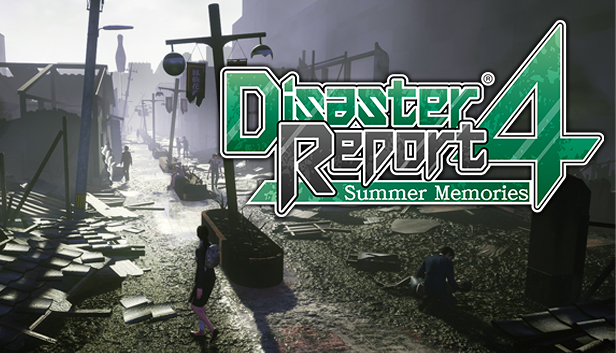
Thrust into a tragedy that touches countless lives, you must now make the decisions that will determine who lives and who dies in the chaos stemming from a natural disaster. What will you do in the aftermath of calamity?
When a massive earthquake strikes the city you’re visiting, you find yourself at the epicenter of a chaotic and catastrophic crisis. It’s up to you to rise above the calamity, gather your thoughts and your fellow survivors, and outlast the disaster. Aftershocks, fires, collapsing buildings and debris, and unstable ground are but a few of the threats you’ll face in these nightmarish circumstances. What will you do when every passing second and every snap decision could spell the difference between life and death?
Your World in Chaos - In a city on the brink of collapsing, you’ll need to make split-second decisions that will impact your safety as well as that of others.
Everybody's Got a Story - Meet your fellow survivors in a Japanese-inspired city devastated by a powerful earthquake, and see how the human spirit bends...and sometimes breaks.
Danger at Every Corner - Navigate a multitude of crises—from collapsing buildings to raging fires—in a city aplomb with peril.