This content requires the base game in order to play:
Destiny 2
Game Description
System Requirements
Activation Details
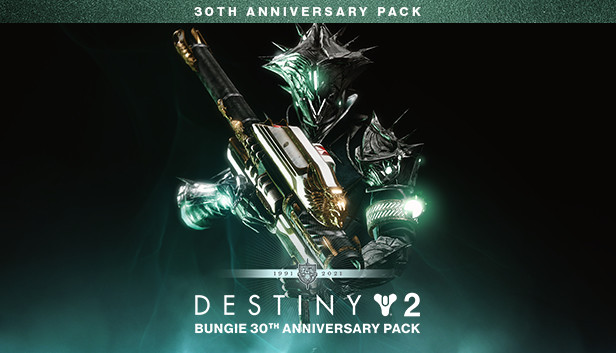
Celebrate Bungie's 30th Anniversary with a new dungeon, the Gjallarhorn Exotic Rocket Launcher, Thorn armor set, and an arsenal of weapons, gear, and cosmetics inspired by Bungie’s past.
30th Anniversary Pack owners also gain access to additional cosmetic reward chests in the free Dares of Eternity activity.
Grasp of Avarice
Plunder the new three-player dungeon inspired by famed Cosmodrome loot caves of yore. Reveal a tale of riches and regret as you follow an adventurer who traded his humanity for treasure.
Treasure Galore
The Exotic Gjallarhorn returns alongside new weapons, ornament sets, emotes, Sparrows, Ghost Shells, and more. Pack your inventory with rewards that represent 30-years of Bungie, a legendary community, and a birthday party that could only happen starside.
Minimum 105 GB available hard drive storage space required as of November 10, 2020. Storage requirements subject to increase. After November 10, 2020, see www.destinythegame.com/size-requirements for current requirements prior to purchase. May require additional storage for set-up, features and updates, including to download mandatory in-game updates to continue playing. Users responsible for fees for broadband internet, which is required. Additional charges may apply for online content and features
Destiny 2 may contain flashing patterns and images that may produce adverse effects for a small percentage of people sensitive to them.
Using the software constitutes acceptance of the Destiny Software License Agreement at www.bungie.net/sla. Bungie may modify or discontinue online services without notice at any time.
Additional notes: Beginning on June 4, 2024, Destiny 2 is ending support for Windows 7, Windows 8, and Windows 8.1 operating systems.
To activate the game, you need a Steam Account
Login or register at the official Steam Website and download Steam client
Install and start application, login with your Account name and Password
Click the Games Menu.
Choose Activate a Product on Steam...
Follow the onscreen instructions to complete the process
After the successful code verification, go to the "MY GAMES" tab and start downloading.
News & Updates
2026-09-28
Are We Entering the Age of Gaming Leak Culture?
Once upon a time, a video game leak seemed nearly as an almost innocent accident, a gaming magazine published a screenshot too early or a store put a copy on a shelf before the scheduled release date…
As you probably already know, at YUPLAY we constantly strive to discover new and exciting ways to regularly promote the best video game titles directly to you. We do that quite often with our storewide discount campaigns, but we were looking for another way to do it without the need for a whole promotional event…