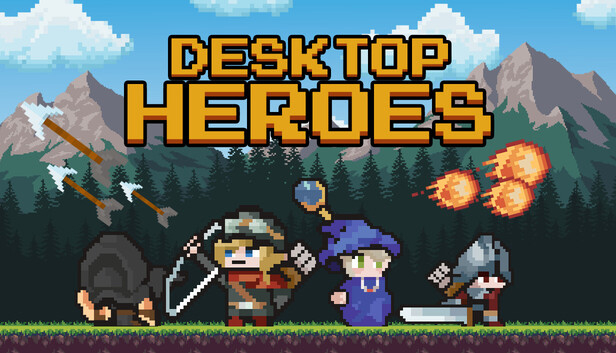
Your epic adventure begins... at the bottom of your screen (BoYS).
Desktop Heroes is a unique idle RPG designed to be your faithful companion while you work. Set just above your taskbar, this unobtrusive game runs in the background, letting you build a team of courageous heroes, battle monstrous foes, and collect loot; all without disrupting your productivity.
A Fantasy World on Your Desktop
As you type emails, write code, or browse spreadsheets, your party of four customizable heroes embarks on quests, defeats enemies, and gathers treasures in real-time. Watch your hero grow stronger while you focus on your daily tasks, or jump in to support when you're ready for a quick break.
Features
Four Iconic Classes: Lead a balanced party of a spell-slinging Wizard, a sword-wielding Warrior, a precise Hunter, and a stealthy Assassin.
Idle Gameplay, Active Rewards: Play passively or jump in anytime to claim rewards, upgrade gear, and make strategic decisions.
Work-Friendly Design: Runs quietly at the bottom of your screen. No pop-ups, no distractions... just progress.
Expanding Adventures: Unlock new regions, fight powerful bosses, and uncover secrets, even while answering emails.
Charming Pixel Art Style: A light and appealing visual design that complements your workspace, not competes with it.
Whether you're grinding through your to-do list or taking a five-minute coffee break, Desktop Heroes keeps the adventure going, one pixel-sized battle at a time.
Unique Features
Thanks to Desktop Heroes' special Protect Mode, even if you share your entire screen during a meeting while playing a game, the people on the other end won't be able to see that you're playing.
With Virtual Mode, if you need to click on an area behind the game at the bottom of your screen, you can continue working without having to close the game. And it's easy to read text behind the game or click on something!
windows Minimum
Processor: Intel Core i3 or equivalent
Memory: 4 GB RAM
Graphics: Intel HD Graphics 4000 or equivalent
Storage: 4 GB available space
Directx: Version 11
windows Recommended
OS: Windows 10 (64-bit)
Processor: Intel Core i5 or better
Memory: 8 GB RAM
Graphics: NVIDIA GTX 960 / AMD R9 280 or better
Storage: 4 GB available space
Directx: Version 11
To activate the game, you need a Steam Account
Login or register at the official Steam Website and download Steam client
Install and start application, login with your Account name and Password
Click the Games Menu.
Choose Activate a Product on Steam...
Follow the onscreen instructions to complete the process
After the successful code verification, go to the "MY GAMES" tab and start downloading.
News & Updates
2026-09-17
Celebrate Fall and Collect Your Free Game Drop
Summer is over and the new gaming season starts with a blast at YUPLAY, so for this occasion we decided to bring you a massive storewide promotion with a surprise FREE game as a gift from us. All you have to do to participate is make an order over 9.99€ between 17.09.2026 15:00 CET and 21.09.2026 15:00 CET, and you will get your FREE game together with the ones you have purchased…
Ready to level up your YUPLAY Loyalty progress? The YXP Extra Event is back, giving you another chance to earn 50 bonus YXP with every qualifying order. Spend at least €10 between 02.09.2026 15:00 CET and 07.09.2026 15:00 CET and get an extra 50 YXP on top of your regular Loyalty Program rewards!