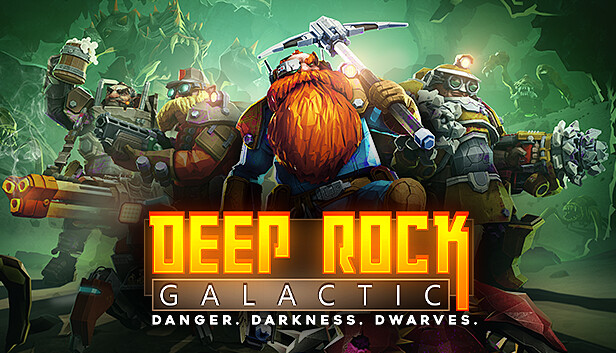
Deep Rock Galactic is a 1-4 player co-op FPS featuring badass space Dwarves, 100% destructible environments, procedurally-generated caves, and endless hordes of alien monsters.
1-4 PLAYER CO-OP Work together as a team to dig, explore, and fight your way through a massive cave system filled with hordes of deadly enemies and valuable resources. You will need to rely on your teammates if you want to survive the most hostile cave systems in the galaxy!
4 UNIQUE CLASSES Pick the right class for the job. Mow through enemies as the Gunner, scout ahead and light up the caves as the Scout, chew through solid rock as the Driller, or support the team with defensive structures and turrets as the Engineer.
FULLY DESTRUCTIBLE ENVIRONMENTS Destroy everything around you to reach your goal. There is no set path so you can complete your mission your way. Drill straight down to your objective or build an intricate network of paths to explore your surroundings -- the choice is yours. But proceed with caution, you don’t want to stumble into an alien swarm unprepared!
PROCEDURALLY GENERATED CAVE NETWORK Explore a network of procedurally generated cave systems filled with enemies to fight and riches to collect. There’s always something new to discover and no two playthroughs are alike.
HIGH-TECH GADGETS AND WEAPONS Dwarves know what they need to bring to get the job done. This means the most powerful weapons and the most advanced gadgets around - flamethrowers, gatling guns, portable platform launchers, and much, much more.
LIGHT YOUR PATH The underground caves are dark and full of terrors. You will need to bring your own lights if you want to illuminate these pitch-black caverns.
Graphics: NVIDIA GeForce GTX 660 or AMD Radeon HD 7870
Storage: 3 GB available space
Directx: Version 11
Network: Broadband Internet connection
windows Recommended
OS: Windows 10 64 Bit
Processor: Intel i5, 7th gen (or equivalent)
Memory: 8 GB RAM
Graphics: NVIDIA 970 / AMD Radeon 290
Storage: 3 GB available space
Directx: Version 11
Network: Broadband Internet connection
To activate the game, you need a Steam Account
Login or register at the official Steam Website and download Steam client
Install and start application, login with your Account name and Password
Click the Games Menu.
Choose Activate a Product on Steam...
Follow the onscreen instructions to complete the process
After the successful code verification, go to the "MY GAMES" tab and start downloading.
News & Updates
2026-08-21
The Biggest Games to Steal the Show at Gamescom 2026
Gamescom 2026 is coming at the end of this month with more than 900 exhibitors and we just wanted to showcase some of the upcoming games in the AAA titles category that you should definitely check out! So, be sure to go through our shortlisted future release hits in most gaming genre types, as we get ready to once again explore the world of Gamescom…
ACE COMBAT 8 Could Be the Series’ Most Ambitious Entry
The upcoming Ace Combat 8: Wings of Theve marks a completely new chapter in the popular flight shooting series, by effectively blending cinematic storytelling with the thrills of aerial combat like never before. Developed by Bandai Namco Aces Inc., the game will build upon the decades of established expertise in order to further boost the series’ strong sides…