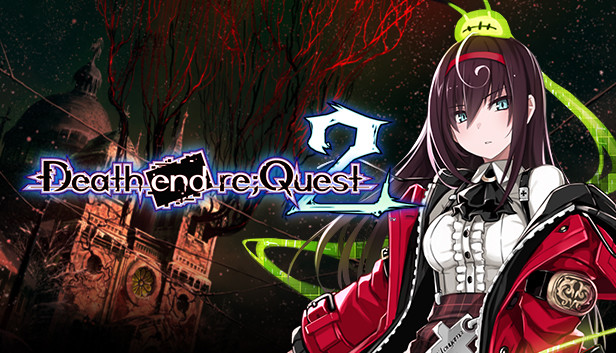
Mai Toyama seeks an escape from her traumatic past. She enrolls at Wordsworth, an all-girl’s dormitory situated in the small, mountainous town known as Le Choara where it was rumored that her sister, Sanae, was last seen. Hopeful, Mai seeks to find her kin, but she soon finds terrifying inhabitants which lurk throughout the town after dark. At night, Le Choara’s streets are filled with Shadow Matter—a horrific group of menacing creatures. Around every cobblestone corner, Mai discovers that her hope of finding her sister lies beneath the long-buried secrets which haunt Le Choara.
Key Features
Overkill Brings Huge Rewards – The Overkill system is an added feature where characters can stack damage beyond the health of an enemy for bonus experience! Try to inflict as much damage to all the monsters for bigger rewards.
Beware of the Berserker – During dungeon exploration and battle, a faceless, black figure will appear out of nowhere. The figure will also display an area of attack once it appears. Mai and her squad must step away from the Berserker’s area of attack, as it will instantly kill anyone with one single blow. Run away from the Berserker in the dungeon or defeat all the existing monsters in the battlefield to escape!
Day n’ Night – Mai will need to explore the town of Le Choara during the day and speak with the townspeople to find out clues as to where her sister is. By night, Mai will fight her way through dark creatures stylized in a turn-based RPG. Experience the story through the lens of a visual novel during the day and battle it out against horrific creatures by night!
Don’t Call it a Knockback – The Knockback system is back in Death end re;Quest 2, but this time, Mai and her squad can smack Shadow Matter even harder! Combo your attacks by flinging monsters to other party members!
windows Minimum
OS: Windows 8 (64-bit)
Processor: Intel i5 2.3GHz or AMD A9 2.9GHz equivalent
Memory: 4 GB RAM
Graphics: ATI Mobility Radeon HD 5xxx, 1GB VRAM 5000 Series
Additional notes: Optimal 4k performance may require better than Recommended System Requirements
To activate the game, you need a Steam Account
Login or register at the official Steam Website and download Steam client
Install and start application, login with your Account name and Password
Click the Games Menu.
Choose Activate a Product on Steam...
Follow the onscreen instructions to complete the process
After the successful code verification, go to the "MY GAMES" tab and start downloading.
News & Updates
2026-08-07
Yet Another Chance to Earn Extra 50 YXP
Summer is already in full swing and YUPLAY has decided to give you yet another chance to earn an additional 50 YXP to help you reach the next rank. On top of the YXP you receive based on the amount of your purchase, you will also earn these additional 50 bonus YXP for limited time only. All you need to do is make a purchase of at least €10 between 07.08.2026 15:00 CET and 10.08.2026 15:00 CET and receive an extra 50 YXP for our Loyalty Program…
The Summer Sale Returns: Bigger Deals for 48 Hours Only
Summer is here and we are already preparing for a super fresh season full of incredible delights and heated moments! Make an order of over 15€ between 31.07.2026 13:00 CET and 02.08.2026 15:00 CET and you will get our special SUMMER DEALS GIFT, which will contain one of the following: discount codes - 10% OFF, 20% OFF, 25% OFF or 50% OFF; discount vouchers - 1€, 2€, 5 or 10€; or a FREE GAME…