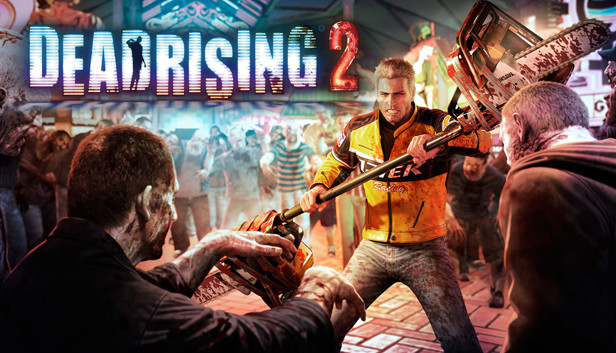
The sequel to the million-plus selling Dead Rising, Dead Rising 2 takes the zombie survival horror to Fortune City, America’s latest and greatest entertainment playground. Featuring a new story, two online multiplayer modes (2-player co-op campaign and a 4-player “TV show” themed Pay-Per-View event that pits humans against zombies), thousands of on-screen zombies and more, Dead Rising 2 takes zombie survival horror to a whole new level. As Chuck Greene, you have 72 hours to save your infected daughter, clear your name and survive the hordes of hungry zombies before the military comes in and nukes the city. To ensure your survival, you can combine everyday objects to create numerous deadly combo weapons and slaughter the ravenous zombies. Dead Rising 2, it’s where Creativity Kills.
Key features:
Sequel to the critically acclaimed and 1 million+ selling Dead Rising: Dead Rising 2 is bigger and better in every way, adding new custom combo weapons, multiplayer and thousands of zombies on-screen at once!
Thousands of Zombies On Screen: The undead are everywhere creating a dynamic and challenging zombie-killing experience for the player as weapons will be created to kill massive amounts of zombies at one time!
Combo Weapons: Players can combine two everyday items using duct tape to create the ultimate zombie killing creations such as the Portamower and Paddlesaw. Unlocking combo cards along the way will give players the advantage as the helpful cards will show you what items are best for combining.
New Storyline and Characters: A new protagonist, Chuck Greene, must save his infected daughter, clear his name, and survive 72 hours in Fortune City.
2-Player Co-Op: Online co-op play is introduced to the Dead Rising universe for the first time as players can invite their friends to partner up with them at any time to take on the zombie massacre- tag-team style! Killing zombies with a friend is always more fun!
4-Player Terror is Reality: 4 players compete in a gladiator type TV show named Terror Is Reality that pits zombies against a group of players in the ultimate Vs. multiplayer blood bath
windows Minimum
OS: Windows Vista®/XP, Windows 7
Processor: Intel Core 2 Duo 2.4 Ghz or better, AMD Athlon X2 2.2 Ghz or better
Memory: 2 GB RAM
Graphics: NVIDIA® GeForce® 8800GTS or better, ATI Radeon™ HD 3850 or better
Storage: 8.5 GB free hard drive space
Directx: DirectX® 9.0c or greater
Sound card: Standard audio device
To activate the game, you need a Steam Account
Login or register at the official Steam Website and download Steam client
Install and start application, login with your Account name and Password
Click the Games Menu.
Choose Activate a Product on Steam...
Follow the onscreen instructions to complete the process
After the successful code verification, go to the "MY GAMES" tab and start downloading.
News & Updates
2025-12-12
Earn More YXP and Unlock New Levels with YUPLAY
We are constantly working on new ways to reward our community and provide added value to everyone who chooses YUPLAY as their go-to destination for gaming content. Our most dedicated users deserve something special, which is why we’re excited to introduce the YUPLAY Loyalty Program.
To celebrate its launch, we’ve prepared an exclusive promotional event that gives you the opportunity to earn 50 YXP, helping you progress faster and improve your chances of unlocking higher loyalty levels.
Dive Into 2025’s Most Addictive Video Games – Part 1
It is already the month of December and 2025 is nearly done, however there have been some great titles all throughout the year and we decided to make a definitive list for some of the most addictive video games we got during the year! We separated it into 2 dozens of Steam games in almost all of the main gaming genres, so there should be something for everyone to enjoy on it! We hope you like it and let’s directly dive right in the action with the first part of our list!
Some functionality is not accessible when using the default controller configuration, requiring use of the touchscreen or virtual keyboard, or a community configuration
This game sometimes shows mouse, keyboard, or non-Steam-Deck controller icons
Entering some text requires manually invoking the on-screen keyboard
This game does not default to external Bluetooth/USB controllers on Deck, and may require manually switching the active controller via the Quick Access Menu
In-game interface text is legible on Steam Deck
This game's default graphics configuration performs well on Steam Deck