This content requires the base game in order to play:Dead Cells
Game Description
System Requirements
Activation Details
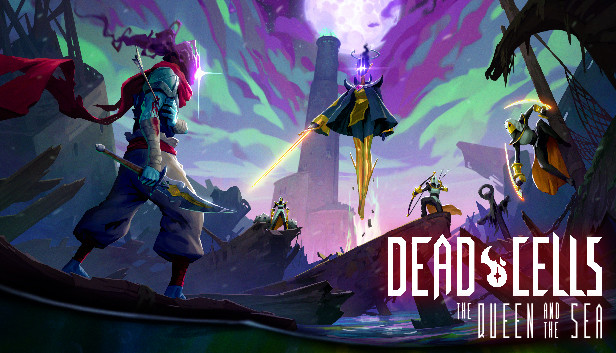
Battle your way through a rotten shipwreck, scale a burning lighthouse and confront your deadliest foe yet. If you manage to make it through all that, maybe you’ll finally get off this god-forsaken island...
This late-game content gives you an alternative to the High Peak Castle, Derelict Distillery and Throne Room biomes.
Infested Shipwreck: Fight through the claustrophobic hallways of a sunken vessel, while multi-legged eldritch abominations hunt you from the shadows.
Lighthouse: Ascend this soaring tower while fending off the relentless attacks of the Queen’s Guardians and outrunning the hungry flames rising from below.
The Crown: Try to get off this cursed island by lighting the beacon at the lighthouse summit. However, your past won’t let you go without a fight...
This DLC also gives you the usual extras
9 new weapons, including a throwable shark, a trident and a pirate hook hand (eyepatch not included)
OS: Windows 7+ * Starting January 1st, 2024, the Steam Client will only support Windows 10 and later versions.
Processor: Intel i5+
Memory: 2 GB RAM
Graphics: Nvidia 450 GTS / Radeon HD 5750 or better
Storage: 500 MB available space
Additional notes: DirectX 9.1+ or OpenGL 3.2+
windows Recommended
OS: Windows 7+ * Starting January 1st, 2024, the Steam Client will only support Windows 10 and later versions.
Processor: Intel i5+
Memory: 4 GB RAM
Graphics: Nvidia GTX 460 / Radeon HD 7800 or better
Storage: 500 MB available space
Additional notes: DirectX 9.1+ or OpenGL 3.2+
To activate the game, you need a Steam Account
Login or register at the official Steam Website and download Steam client
Install and start application, login with your Account name and Password
Click the Games Menu.
Choose Activate a Product on Steam...
Follow the onscreen instructions to complete the process
After the successful code verification, go to the "MY GAMES" tab and start downloading.
News & Updates
2026-11-06
Win GTA VI for PS5 with YUPLAY
Want to get your hands on GTA VI for PS5? We're giving one lucky winner the chance to win a copy of Grand Theft Auto VI. Head over to our X giveaway, follow YUPLAY, repost, and leave a comment for your chance to win.