2026-10-02
YXP Extra Event: Give Your Next Rank a Boost!
Earn 50 BONUS YXP with every €10+ order! Boost your progress, climb the ranks, and get more from your next purchase during the YXP Extra Event.



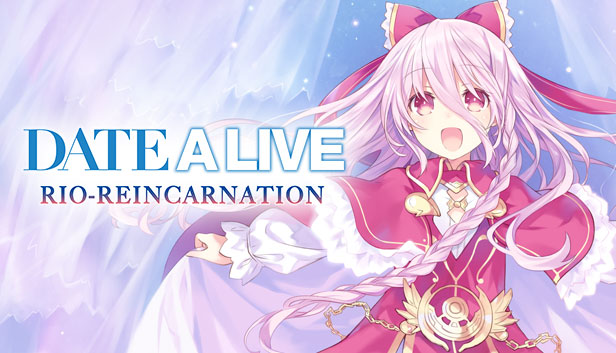
Based on the popular light novel series from Fujimi Fantasia Bunko, which inspired three anime adaptations, DATE A LIVE, DATE A LIVE II, DATE A LIVE III, and the anime movie Gekijoban DATE A LIVE: Mayuri Judgement, the story of DATE A LIVE begins thirty years after a series of large disasters, known as spacequakes, that were caused by the appearance of mysterious entities known as Spirits.
These unstoppable forces wreak havoc until Shido Itsuka, an average high school student, encounters one such being and learns that he alone possesses the ability to seal away a Spirit's powers.
Now Shido is determined to save the world, and the Spirits, with the power of love!
Choose Your Fate and Find a Date – Immerse yourself in the world of DATE A LIVE, where Shido has the option to pick from 11 characters and over 150 dating events! Need a break from dating? Get to know the Rio Reincarnation exclusive character, Rio Sonogami, and even talk with 10 other sub-characters for additional story elements!
Find Your Route to Love – The choices you make with each girl can affect Shido’s overall destiny! If Shido plays his cards right, he can find the true ending of his favorite girl!
Light Novels Never-Before-Localized – DATE A LIVE fans and readers can rejoice as the three light novels: Rinne’s Bathtime, Arusu’s Quest, and Rio Reunion are now localized in English! Each story also includes several rough sketches and goofy comic strips!
There’s More Where that Came From – Two previous entries in the DATE A LIVE series that were only available on the PlayStation®3, Rinne Utopia and Arusu Install, will be included in Rio Reincarnation! Re-experience the ending of your date’s route in Rinne Utopia and Arusu Install, and experience new date endings and Event CGs in Rio Reincarnation!
The Steam version of Date A Live: Rio Reincarnation contains all original content and gameplay found in the Japanese release.