This content requires the base game in order to play:
Darkest Dungeon®
Game Description
System Requirements
Activation Details
“And all around is the desert; a corner of the mournful kingdom of sand.” -Pierre Loti
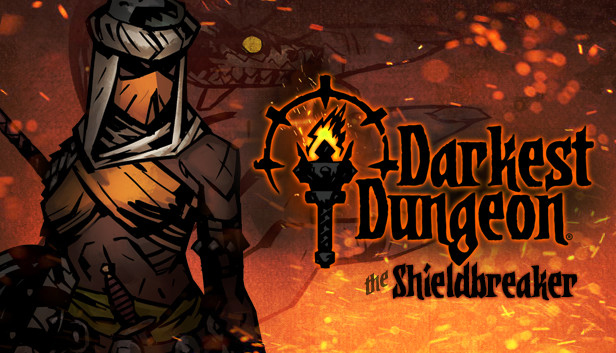
Hailing from the distant windswept dunes of the east, the Shieldbreaker arrives in the Hamlet! Deadly as a viper, her iron will has been forged in the heat of the blazing desert sun. Though outwardly demure, her emancipation from the barren wastes came at a price so terrible, it haunts her dreams even now...
Features
New hero class: the Shieldbreaker
Dynamic, tactical skill set for the Shieldbreaker featuring all new combat mechanics including: Armor Piercing, Guard Break, and Stealth
Shieldbreaker class-specific trinkets, including a set.
3 New Monsters - frightful illusions from the Shieldbreaker's origin, now slithering forward to infest the Estate
New Consumable Item - Aegis Scale, providing a last bastion of protection for when a hero truly needs it.
The Shieldbreaker is a powerful ally in the fight to reclaim the Estate and banish the evil that squats in the Darkest Dungeon. A highly-tactical hero with solid damage dealing capability, she truly excels when countering monsters with high protection and those who guard their allies. Her movement, speed, and targeted abilities make her a valuable ally for dismantling intractable monster groups. Though relatively low health, the Shieldbreaker is yet highly survivable in short bursts thanks to her Aegis shield.
Copyright 2017 Red Hook Studios Inc. "Darkest Dungeon" is a registered trademark of Red Hook Studios Inc. All rights reserved.
windows Minimum
OS: Windows XP
Memory: 2 GB RAM
Graphics: Open GL 3.2+ Compliant
Storage: 2 GB available space
Additional notes: 1080p, 16:9 recommended
windows Recommended
OS: Windows 7+
Memory: 4 GB RAM
Graphics: Open GL 3.2+ Compliant
Storage: 2 GB available space
Additional notes: 1080p, 16:9 recommended
OS: Ubuntu 18.04
Memory: 2 GB RAM
Graphics: Open GL 3.2+ Compliant
Storage: 2 GB available space
Additional notes: 1080p, 16:9 recommended
To activate the game, you need a Steam Account
Login or register at the official Steam Website and download Steam client
Install and start application, login with your Account name and Password
Click the Games Menu.
Choose Activate a Product on Steam...
Follow the onscreen instructions to complete the process
After the successful code verification, go to the "MY GAMES" tab and start downloading.
News & Updates
2026-10-23
BOO! Giveaway - Win a Game of Your Choice
Make a purchase of any amount between 23.10.2026 15:00 CET and 28.10.2026 15:00 CET, submit your Order ID in our Gleam and get a chance to win a FREE GAME (up to 50€).…