This content requires the base game in order to play:
Darkest Dungeon®
Game Description
System Requirements
Activation Details
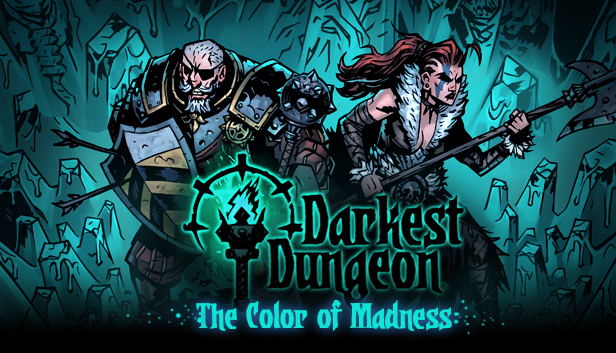
Some hateful shard of alien origin has streaked through the night sky, crashing into the old Miller’s farm on the outskirts of the Hamlet! Those unfortunate enough to witness the Comet’s arrival have been blinded by what they can only describe as a shifting, ephemeral hue of damnably abrasive intensity. There has been no word from the farm in a fortnight, save for the unearthly groaning that echoes from the ruin of the mill…
“When men shake hands with time, time crushes them like tumblers; little pieces of glass.” ― Abu al-Ala al-Ma'arri
Features
New region: The Farmstead!
Endless Quest: Survive as long as you can while getting lost in time and space, confronted by unending waves of enemies new and old, pushing ever closer to the crash site of the Comet.
Twisted new trinkets, available for purchase from the Jeweler. Put your gold away—he trades only in Comet Shards!
All-New Enemy Faction: The Miller and his loyal workmen have become eerie husks of their former selves.
3 new bosses - The Miller, The Thing From the Stars, and the Comet itself!
New Curios help keep your party in fighting shape as you face the endless hordes!
Expand your Hamlet with 4 new District buildings and reap their benefits.
New Quirks, with unique and powerful effects!
Our biggest soundtrack addition yet from Stuart Chatwood
Copyright 2018 Red Hook Studios Inc. "Darkest Dungeon" is a registered trademark of Red Hook Studios Inc. "Color of Madness" is a trademark of Red Hook Studios Inc. All rights reserved.
windows Minimum
OS: Windows XP
Memory: 2 GB RAM
Graphics: Open GL 3.2+ Compliant
Storage: 2 GB available space
Additional notes: 1080p, 16:9 recommended
windows Recommended
OS: Windows 7+
Memory: 4 GB RAM
Graphics: Open GL 3.2+ Compliant
Storage: 2 GB available space
Additional notes: 1080p, 16:9 recommended
OS: Ubuntu 18.04
Memory: 2 GB RAM
Graphics: Open GL 3.2+ Compliant
Storage: 2 GB available space
Additional notes: 1080p, 16:9 recommended
To activate the game, you need a Steam Account
Login or register at the official Steam Website and download Steam client
Install and start application, login with your Account name and Password
Click the Games Menu.
Choose Activate a Product on Steam...
Follow the onscreen instructions to complete the process
After the successful code verification, go to the "MY GAMES" tab and start downloading.
News & Updates
2026-10-23
BOO! Giveaway - Win a Game of Your Choice
Make a purchase of any amount between 23.10.2026 15:00 CET and 28.10.2026 15:00 CET, submit your Order ID in our Gleam and get a chance to win a FREE GAME (up to 50€).…