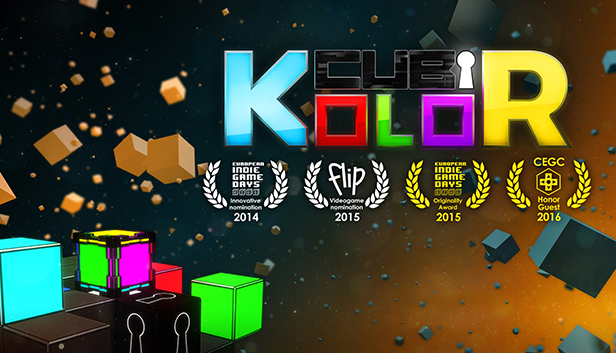
Move your Kube by matching the kolors of the sides and the platform to complete each level.
Armed only with your logic and your Kube, move through the 150 levels outwitting the traps in the System, an evil, scheming entity, to confront the machine and pass the test!
Discover lots of special Kubes with some surprising effects, and advance through the different game backdrops in Classik or Hardkore mode.
In Cubikolor your logic will be severely tested against a formidable enemy. Roll, go up, go down and rewind time to explore all the options and reach the locks in each level. Keep an eye on the time and move limits!
Outsmart the System and use its traps to your advantage: Booby-trapped Kubes, multikolored Kubes and many more await you in this next-gen puzzle game.
Win all the medals and challenge yourself in Hardkore mode. Only the best will survive.
Will you achieve the highest score?
Key Features:
A puzzle game with innovative gameplay in full 3D.
150 levels, 2 game modes, numerous objectives and 450 medals to be won.
Discover lots of special Kubes.
A kolorful and twilight world with ever-changing levels.
Progressive and immersive music, turn on the sound!
Over 20 hours of gameplay fun against a cunning and ruthless Program.
A Hardkore challenge even for the best among you!
Will you achieve the best times? Share your results!
Cubikolor – Originality Award at the European Indie Game Days 2015. Cubikolor is a co-production between independent studios Fractal Box and Moving Player.
windows Minimum
OS: Windows XP (SP3), Windows Vista (SP2), Windows 7, Windows 8
Processor: Intel Core 2 Duo, AMD Athlon X2, or equal at 1.6GHz or better
Memory: 2 GB RAM
Graphics: DirectX 9.0c-compatible, SM 3.0-compatible
Storage: 2 GB available space
Directx: Version 9.0c
Sound card: DirectX 9.0c-compatible, 16-bit
windows Recommended
OS: Windows 7, 8
Processor: QuadCore 2.0 GHz+
Memory: 4 GB RAM
Graphics: DirectX 9.0c-compatible, SM 3.0-compatible, 1024MB VRAM+
Storage: 4 GB available space
Directx: Version 9.0c
Sound card: DirectX 9.0c-compatible, 16-bit
To activate the game, you need a Steam Account
Login or register at the official Steam Website and download Steam client
Install and start application, login with your Account name and Password
Click the Games Menu.
Choose Activate a Product on Steam...
Follow the onscreen instructions to complete the process
After the successful code verification, go to the "MY GAMES" tab and start downloading.
News & Updates
2026-06-11
Celebrate FIFA World Cup 2026 with YUPLAY
The FIFA World Cup 2026 is coming in hot this summer and while these coming weeks it is all going to be centered around the best game in the world of sports, we decided to bring you a dedicated YUPLAY giveaway to commemorate the occasion together! This promotional giveaway campaign invites all of our followers to try and predict the exact final scores of selected matches from the World Cup…
First V-Bucks, Now Steam Decks: Why Gaming is Getting More Expensive
Has gaming been steadily becoming more and more expensive lately? In the past months and quarters there has definitely been an increase in pricing in both the software and hardware departments of gaming and this trend has definitely stricken the market in more than a couple of ways. The industry has experienced a trend of gaming price increases as well as more expensive subscriptions…