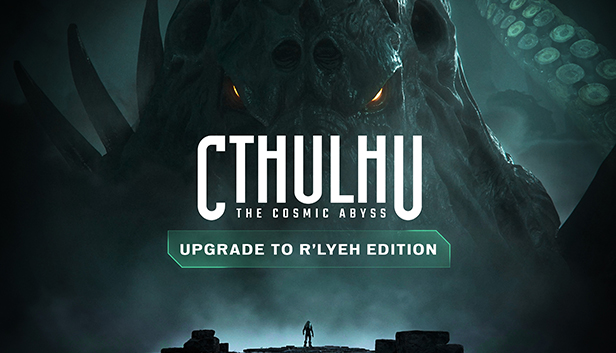
Your descent into madness has only just begun. With Cthulhu: The Cosmic Abyss - R'lyeh Edition, horror reaches new dimensions. Enhance your experience with the following exclusive content:
The Shining Trapezohedron side quest: search for fragments of the shining trapezohedron and learn more about this ancient artefact through puzzles that will test your perception and your sanity. As a reward, unlock an exclusive evolution that gets better as you put the artefact back together. Also, discover an exclusive hand skin imbued with the red stone, which reacts every time you approach a fragment.
An official scenario for the Arkham Horror role-playing game: extend the adventure with a full, exclusive scenario entitled "Descent". Designed for the popular Arkham Horror tabletop role-playing game, you and your friends can play as new Ancile investigators facing an occult threat directly linked to the game's universe.
The non-Euclidean artbook: from the depths of the Pacific Ocean to the Cyclopean ruins of R’lyeh, discover the official artbook for Cthulhu: The Cosmic Abyss, with more than 50 pages featuring intertwining oppressive environments, Lovecraftian creatures and Ancile technologies. An artistic journey into the heart of a world where beauty merges with terror, and the abyss is always watching you.
The Eldricht Soundtrack: with more than an hour of music, immerse yourself in the soundscape of Cthulhu: The Cosmic Abyss. From the oppressive layers of the ocean depths to the more subdued, melancholic themes of exploration, each composition accompanies your descent into the unknown, increasing the feeling of tension, isolation and insignificance in the face of cosmic horror. An original soundtrack, designed to be an auditory journey, where silence, anticipation and unspeakable menace are an integral part of the experience.
Additional notes: HDD Supported, SSD Recommended. The above specifications were tested with performance upscaling enabled.
To activate the game, you need a Steam Account
Login or register at the official Steam Website and download Steam client
Install and start application, login with your Account name and Password
Click the Games Menu.
Choose Activate a Product on Steam...
Follow the onscreen instructions to complete the process
After the successful code verification, go to the "MY GAMES" tab and start downloading.
News & Updates
2026-09-17
Celebrate Fall and Collect Your Free Game Drop
Summer is over and the new gaming season starts with a blast at YUPLAY, so for this occasion we decided to bring you a massive storewide promotion with a surprise FREE game as a gift from us. All you have to do to participate is make an order over 9.99€ between 17.09.2026 15:00 CET and 21.09.2026 15:00 CET, and you will get your FREE game together with the ones you have purchased…
Ready to level up your YUPLAY Loyalty progress? The YXP Extra Event is back, giving you another chance to earn 50 bonus YXP with every qualifying order. Spend at least €10 between 02.09.2026 15:00 CET and 07.09.2026 15:00 CET and get an extra 50 YXP on top of your regular Loyalty Program rewards!