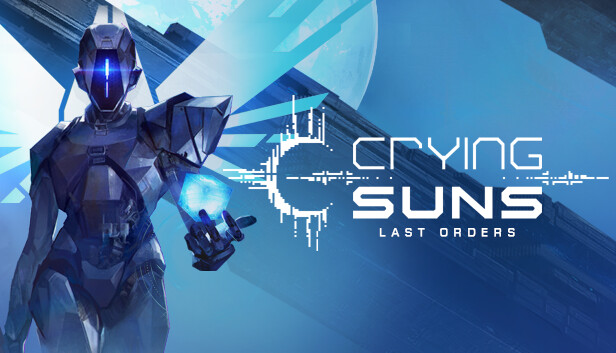
Crying Suns is a tactical rogue-lite that puts you in the role of a space fleet commander as you explore a mysteriously fallen empire.
In this story rich experience inspired by Dune and Foundation, each successful run will uncover the truth about the Empire... and yourself as well.
Main Features
Space exploration in a procedurally-generated universe
Tactical fights between battleships and their squadron fleets
More than 300 possible story events
A deep and dramatic storyline structured in 6 chapters
A dark and disturbing atmosphere inspired by our favorite S-F universes (Foundation, Dune, Battlestar Galactica)
The story: The epic journey of a clone
After 700 years of peace and prosperity, the Galactic Empire has suddenly been shattered into pieces. The OMNIs, god-like machines which did everything for their human masters, have mysteriously shut down. And humankind, having long since lost the ability to survive on its own, is dangerously close to extinction. But somewhere in a far corner of the Galaxy is Gehenna, a planet of ice and rock and a top-secret facility that is the pinnacle of Imperial Tech and also humanity’s last chance.
You are a clone of Admiral Ellys Idaho, a weapon fashioned from flesh, the best Imperial Admiral ever to battle in the stars and you have just been awoken on this planet by its strange and darkly-humorous Guardian, Kaliban, the last functional OMNI to exist.
Your mission: skillfully command a battleship through the Empire's now chaotic, violent clusters ––where one wrong move could be your last–– as you try to reactivate the OMNIs and save the future of all humankind. But you must leave Gehenna now.... for time has almost run out.
Graphics: Dedicated GPU, 1 GB VRAM/ AMD HD5750 or equivalent
Storage: 2 GB available space
Directx: Version 10
macosx Minimum
OS: macOS 10.11 El Capitan
Processor: Dual-core 2.5 GHz or equivalent
Memory: 4 GB RAM
Graphics: Dedicated GPU, 512 Mo VRAM / AMD HD5750 or equivalent
Storage: 2 GB available space
To activate the game, you need a Steam Account
Login or register at the official Steam Website and download Steam client
Install and start application, login with your Account name and Password
Click the Games Menu.
Choose Activate a Product on Steam...
Follow the onscreen instructions to complete the process
After the successful code verification, go to the "MY GAMES" tab and start downloading.
News & Updates
2026-09-17
Celebrate Fall and Collect Your Free Game Drop
Summer is over and the new gaming season starts with a blast at YUPLAY, so for this occasion we decided to bring you a massive storewide promotion with a surprise FREE game as a gift from us. All you have to do to participate is make an order over 9.99€ between 17.09.2026 15:00 CET and 21.09.2026 15:00 CET, and you will get your FREE game together with the ones you have purchased…
Ready to level up your YUPLAY Loyalty progress? The YXP Extra Event is back, giving you another chance to earn 50 bonus YXP with every qualifying order. Spend at least €10 between 02.09.2026 15:00 CET and 07.09.2026 15:00 CET and get an extra 50 YXP on top of your regular Loyalty Program rewards!