This content requires the base game in order to play:Crowntakers
Game Description
System Requirements
Activation Details
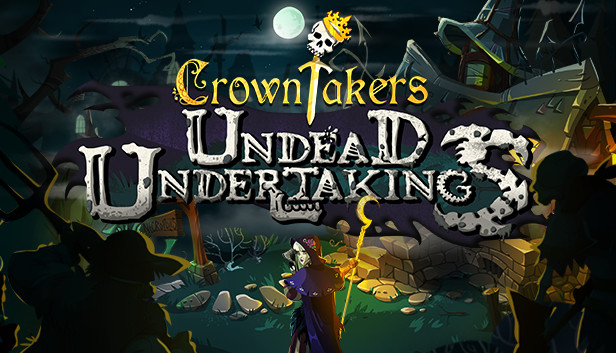
Crowntakers – Undead Undertakings leads you into the land of the living dead. Explore the sinister depths of the Necropolis where death and decay have left their foul footprints. Battle the horrors risen from their graves like zombies, skeletons and vampires, lead your fellow mercenaries to victory and back to sunnier climes.
Key Features:
A brand-new powerful mercenary joins the cast: Malda, the Druid, can take a fair bit of damage but also deal some back in return; attack your foes by sacrificing health, and regain it by absorbing their attacks.
Solve the mysteries of your fellow companions by completing each mercenary’s personal quest to awaken their full potential.
12 special items empower your mercenaries with unforeseen abilities; equip Zoe’s diary or Melic’s loaded dice and go all-out.
Travel through the unknown lands of the Necropolis, battle undead enemies like zombies, skeletons, and the realm’s dreadful boss.
15 additional achievements put your skills to the test.
windows Minimum
OS: Windows Vista / Windows 7 / Windows 8
Processor: Core 2 Duo
Memory: 2 GB RAM
Graphics: Intel HD 4000/ATI Radeon HD 4650/Nvidia GeForce 2xx or higher
Storage: 1 GB available space
Directx: Version 9.0c
Sound card: DirectX compatible
macosx Minimum
OS: Mac® OS 10.8
Processor: Core 2 Duo
Memory: 2 GB RAM
Graphics: Intel HD 4000/ATI Radeon HD 4650/Nvidia GeForce 2xx or higher
Storage: 1 GB available space
linux Minimum
OS: Ubuntu 12+
Processor: Core 2 Duo
Memory: 2 GB RAM
Graphics: Intel HD 4000/ATI Radeon HD 4650/Nvidia GeForce 2xx or higher
Storage: 1 GB available space
To activate the game, you need a Steam Account
Login or register at the official Steam Website and download Steam client
Install and start application, login with your Account name and Password
Click the Games Menu.
Choose Activate a Product on Steam...
Follow the onscreen instructions to complete the process
After the successful code verification, go to the "MY GAMES" tab and start downloading.
News & Updates
2026-10-02
YXP Extra Event: Give Your Next Rank a Boost!
Earn 50 BONUS YXP with every €10+ order! Boost your progress, climb the ranks, and get more from your next purchase during the YXP Extra Event.