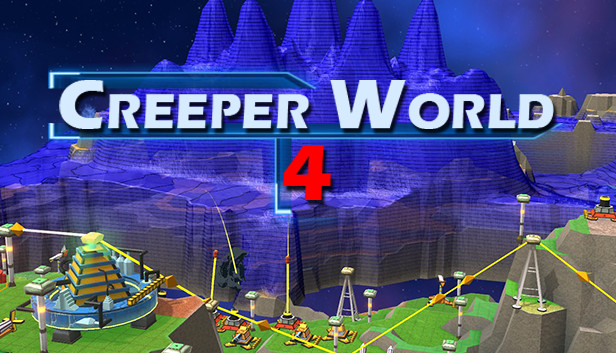
The eternal harvester of galactic empires has returned! Witness massive waves of Creeper flood across the 3D terrain in this real time strategy game where the enemy is a fluid. Build out your economic base with energy and mined wares. Assemble your forces and struggle against the creeper on all fronts as it floods and fills the map. Take the high ground with your forces to avoid the creeper as waves crash around your base. Increase your lines of sight and range on high ground, but beware the aerial units. And, if you last long enough, launch orbital weapons and call down devastating strikes on the enemy.
Creeper World 4 continues the iconic and well received Creeper World RTS franchise, expanding into a new dimension of strategic possibilities and threats. The galaxy once again finds itself culled and utterly in ruins. Guide a scientist and cohorts through the ultimate test of survival and restore hope to the galaxy... one world at a time. Play small maps casually, while pausing and issuing orders. Alternately, play massive maps in real-time with full save support. The choice is yours. Play the story missions, the community crafted missions, or use the built in mission generator for infinite possibilities. Use the map editor to make your own maps for fun and sharing. Create custom units, or even custom game play modes, and share those as well.
Features
3D Terrain with numerous strategic options.
Enhanced graphics
Physics-based flowing 'Creeper' enemy with wave mechanics.
Land, Air, and Orbital weapons.
Custom unit support with scripting.
Online map database.
Story/Campaign missions.
Experimental Co-op multiplayer.
windows Minimum
OS: Windows 7 or later
Processor: Dual Core 2Ghz
Memory: 3 GB RAM
Storage: 2 GB available space
Directx: Version 11
windows Recommended
OS: Windows 10 or later
Processor: Quad Core 3Ghz
Memory: 8 GB RAM
Graphics: Dedicated GPU
Storage: 4 GB available space
Directx: Version 11
Network: Broadband Internet connection
To activate the game, you need a Steam Account
Login or register at the official Steam Website and download Steam client
Install and start application, login with your Account name and Password
Click the Games Menu.
Choose Activate a Product on Steam...
Follow the onscreen instructions to complete the process
After the successful code verification, go to the "MY GAMES" tab and start downloading.
News & Updates
2026-03-30
Join the Easter Raid Party and Win a Free Game
The Easter season is here and since we like this part of the year so much, we have made sure to have prepared a special YUPLAY promotional campaign for those of you that are ready to go into the Raid Party and grab a FREE gaming title. All you have to do is make an order above 20€ between 02.04.2026 15:00 CET and 08.04.2026 15:00 CET, and you will get a FREE game as ab Easter present from us…
Early Spring season has definitely delivered on some exciting updates, game announcements, and promising releases to be on the lookout for until the end of this year. So, let’s immediately have a better look at some of the more outstanding news that happened on the gaming scene during the month of March 2026 that we decided to cover for you…
Some functionality is not accessible when using the default controller configuration, requiring use of the touchscreen or virtual keyboard, or a community configuration
This game sometimes shows mouse, keyboard, or non-Steam-Deck controller icons
Entering some text requires manually invoking the on-screen keyboard
In-game interface text is legible on Steam Deck
This game's default graphics configuration performs well on Steam Deck