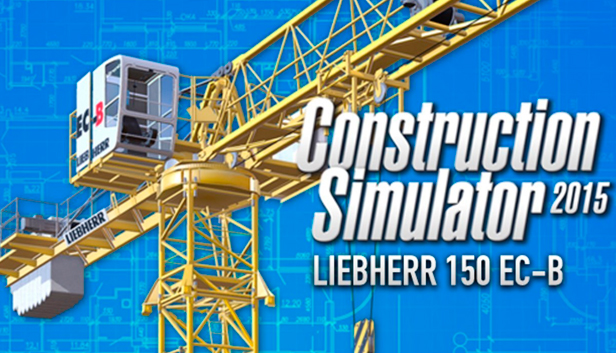
You can now experience even more gaming excitement with the first official expansion for Construction Simulator 2015! This DLC includes the Liebherr 150 EC-B Litronic flat top crane with a concrete bucket! There are also new missions, such as the construction of the first high-rise building in the game, an office building, and an industrial mission that will give you ample opportunities to use your new equipment.
Reach new heights with the Liebherr 150 EC-B! You can reach the tops of buildings up to 13 stories tall, and you can use the ultra strong boom that can lift heavy loads even at the far end. In addition to the usual tasks for cranes, you can also use the Liebherr 150 EC-B with the concrete bucket as an alternative to pouring concrete. There is also a new flatbed trailer that will allow you to easily master all kinds of loads.
As soon as you have downloaded the DLC, the additional content will be available from the Vehicle Dealer and the Building Materials Dealer. Keep in mind that you will need enough money in the game to buy the new machines.
You do not have to buy the expansion in order to keep playing with your friends in multiplayer mode. However, you will not be able to use the new vehicles are start the new missions yourself.
Please be aware that you must have the main Construction Simulator 2015 game in order to play the DLC.
Key Features:
Original licensed Liebherr 150 EC-B flat top crane with a concrete bucket.
Graphics: DirectX 9 compatible graphics card with 1 GB VRAM (Geforce 400 Series or better | ATI Radeon HD 57xx or better)
Storage: 3 GB available space
Directx: Version 9.0
Network: Broadband Internet connection
windows Recommended
OS: Windows Vista/7/8
Processor: Dual or Quad-Core Processor with 3 GHz or better recommended
Memory: 4 GB RAM
Graphics: DirectX 9 compatible graphics card with 2 GB+ RAM (Geforce GTX 660 or better | ATI Radeon HD 68xx, 77xx or better)
Storage: 3 GB available space
Directx: Version 9.0
Network: Broadband Internet connection
To activate the game, you need a Steam Account
Login or register at the official Steam Website and download Steam client
Install and start application, login with your Account name and Password
Click the Games Menu.
Choose Activate a Product on Steam...
Follow the onscreen instructions to complete the process
After the successful code verification, go to the "MY GAMES" tab and start downloading.
News & Updates
2026-06-02
Monthly Recap - May Edition
For this month’s YUPLAY recap we have prepared some very interesting news pieces about upcoming updates, premiers and exclusive news in the world of video games. Be sure to check out the fine selections of short stories including new Warhammer 40K Dawn of War game and yet another Civilization VII update, as we go through what really shaped up as a very fruitful month for the gaming industry…
Beyond the Main Story: The Best Things to Do in GTA 6
Welcome back to Vice City! Ready to ride through the streets with us and go sightseeing in the most anticipated GTA game to date? Finally, after a more than a couple of delays, there has even been a confirmed GTA 6 release date that should absolutely be included in the article, and that would be 19.11.26. Put on your best drip and hop in the YUPLAY review wagon with us and let’s begin the tour immediately…