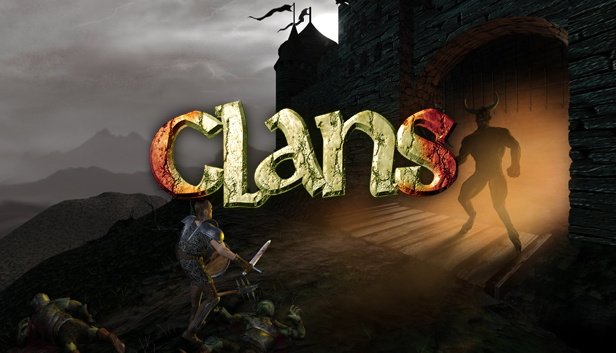
Your goal is to confront and destroy the Demon and locate the lost Crown of Peace. You will roam your once-beautiful land, routing out the Demon's hateful minions, solving the mysteries of the fortress, and moving ever closer to your final encounter with the Demon. Summon your courage and raise your sword for a fight to the death.
Features:
7 Levels: At the Gates; Underdark, a cavern realm of molten lava; Chambers of Torment, the dungeons of the fortress; The Commoners Quarters; Garden of Eternity, the fortress courtyard; The King's Quarters; The Dragon's Den
Wage war with swords, axes, magic, and explosive weaponry through nine quests, seven levels and five sublevels of the ultimate hack-and-slash action.
Fight for your clan and your world as one of four unique characters each possessing distinct skills and abilities.
Casts spells, unravel puzzles, interact with extraordinary characters and destroy evil incarnate.
When you launch Clans, you will see a window pop up:
"Please insert the CLANS CD! Hit OK when done, or Cancel if you don't want any music."
This is an olde school Diablo type game, back in the days when games were run with the CD inserted. The interesting feature of this particular game is that the contents of the original CD contained only the music for the game. What this means is that you can put ANY music CD into your CD player and the game will play it! If you don’t want to have music playing, simply hit ‘Cancel’ and the game will launch. Have fun!
The original CD audio has been added to the game files. If you want to hear the original soundtrack, you will have to navigate to your Steam directory where the game files for Clans reside. You will find a folder called "Clans music", and the audio files are in there. Then you will have to burn an audio CD and put into your CD drive.
windows Minimum
OS: Windows 95/98
Processor: Pentium 120
Memory: 32 MB RAM
Graphics: Direct compatible SVGA video card
Storage: 250 MB available space
Directx: Version 6.0
Sound card: Direct X compatible sound card
To activate the game, you need a Steam Account
Login or register at the official Steam Website and download Steam client
Install and start application, login with your Account name and Password
Click the Games Menu.
Choose Activate a Product on Steam...
Follow the onscreen instructions to complete the process
After the successful code verification, go to the "MY GAMES" tab and start downloading.
News & Updates
2026-08-21
The Biggest Games to Steal the Show at Gamescom 2026
Gamescom 2026 is coming at the end of this month with more than 900 exhibitors and we just wanted to showcase some of the upcoming games in the AAA titles category that you should definitely check out! So, be sure to go through our shortlisted future release hits in most gaming genre types, as we get ready to once again explore the world of Gamescom…
ACE COMBAT 8 Could Be the Series’ Most Ambitious Entry
The upcoming Ace Combat 8: Wings of Theve marks a completely new chapter in the popular flight shooting series, by effectively blending cinematic storytelling with the thrills of aerial combat like never before. Developed by Bandai Namco Aces Inc., the game will build upon the decades of established expertise in order to further boost the series’ strong sides…