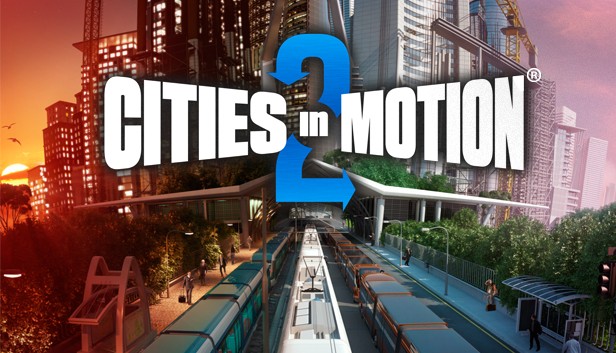
Cities in Motion 2 (CIM2) is the sequel to the popular mass transit simulation game Cities in Motion. Build, manage and lead your transportation network to provide cities with their ever changing needs. CIM2 introduces new features including multiplayer game modes, day and night cycles, timetables and dynamic cities.
Building the transportation network will directly affect how the city grows. Affordable transportation brings middle class housing and work places, while more expensive and exotic choices bring high end businesses. Take advantage of many different types of vehicles including buses, trams, ferries and more.
Build alone or play cooperatively with a friend. Use the newly implemented bus lanes to build efficient traffic free roadways. Tackle rush hour by managing transportation timetables and meeting the needs of the citizens.
windows Minimum
OS: Microsoft Windows XP/Vista/7/8
Processor: 2 GHz Dual core
Memory: 3 GB RAM
Graphics: nVIDIA GeForce 8800, 512 MB RAM or ATI Radeon HD 3850, 512 MB RAM
Storage: 2 GB HD space
Directx: 9.0
Additional notes: Broadband Internet connection
windows Recommended
OS: Microsoft Windows 7/8
Processor: 3 GHz Quad core
Memory: 4 GB RAM
Graphics: nVIDIA GeForce GTX460, 1 GB RAM or AMD Radeon HD 6850, 1 GB RAM
Storage: 2 GB HD space
Directx: 9.0
Additional notes: Broadband Internet connection
macosx Minimum
OS: OSX Snow Leopard 10.6.3
Processor: 2 GHz Dual core
Memory: 3 GB RAM
Graphics: nVIDIA GeForce 8800, 512 MB RAM or ATI Radeon HD 3850, 512 MB RAM
Storage: 2 GB HD space
Additional notes: Broadband Internet connection
macosx Recommended
OS: OSX Snow Leopard 10.6.3 or later
Processor: 3 GHz Quad core
Memory: 4 GB RAM
Graphics: nVIDIA GeForce GTX460, 1 GB RAM or AMD Radeon HD 6850, 1 GB RAM
Storage: 2 GB HD space
Additional notes: Broadband Internet connection
To activate the game, you need a Steam Account
Login or register at the official Steam Website and download Steam client
Install and start application, login with your Account name and Password
Click the Games Menu.
Choose Activate a Product on Steam...
Follow the onscreen instructions to complete the process
After the successful code verification, go to the "MY GAMES" tab and start downloading.
News & Updates
2026-03-30
Join the Easter Raid Party and Win a Free Game
The Easter season is here and since we like this part of the year so much, we have made sure to have prepared a special YUPLAY promotional campaign for those of you that are ready to go into the Raid Party and grab a FREE gaming title. All you have to do is make an order above 20€ between 02.04.2026 15:00 CET and 08.04.2026 15:00 CET, and you will get a FREE game as ab Easter present from us…
Early Spring season has definitely delivered on some exciting updates, game announcements, and promising releases to be on the lookout for until the end of this year. So, let’s immediately have a better look at some of the more outstanding news that happened on the gaming scene during the month of March 2026 that we decided to cover for you…
Some functionality is not accessible when using the default controller configuration, requiring use of the touchscreen or virtual keyboard, or a community configuration
This game sometimes shows mouse, keyboard, or non-Steam-Deck controller icons
Entering some text requires manually invoking the on-screen keyboard
Some in-game text is small and may be difficult to read
This game's default graphics configuration performs well on Steam Deck