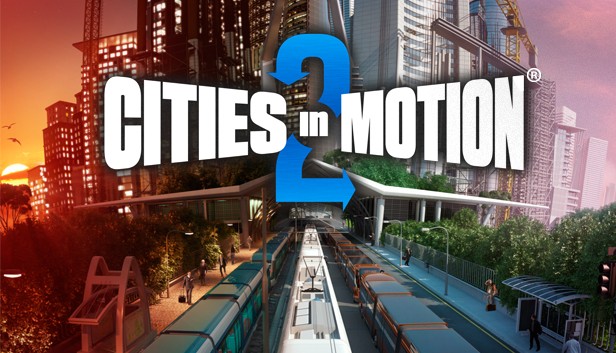
Cities in Motion 2 (CIM2) is the sequel to the popular mass transit simulation game Cities in Motion. Build, manage and lead your transportation network to provide cities with their ever changing needs. CIM2 introduces new features including multiplayer game modes, day and night cycles, timetables and dynamic cities.
Building the transportation network will directly affect how the city grows. Affordable transportation brings middle class housing and work places, while more expensive and exotic choices bring high end businesses. Take advantage of many different types of vehicles including buses, trams, ferries and more.
Build alone or play cooperatively with a friend. Use the newly implemented bus lanes to build efficient traffic free roadways. Tackle rush hour by managing transportation timetables and meeting the needs of the citizens.
windows Minimum
OS: Microsoft Windows XP/Vista/7/8
Processor: 2 GHz Dual core
Memory: 3 GB RAM
Graphics: nVIDIA GeForce 8800, 512 MB RAM or ATI Radeon HD 3850, 512 MB RAM
Storage: 2 GB HD space
Directx: 9.0
Additional notes: Broadband Internet connection
windows Recommended
OS: Microsoft Windows 7/8
Processor: 3 GHz Quad core
Memory: 4 GB RAM
Graphics: nVIDIA GeForce GTX460, 1 GB RAM or AMD Radeon HD 6850, 1 GB RAM
Storage: 2 GB HD space
Directx: 9.0
Additional notes: Broadband Internet connection
macosx Minimum
OS: OSX Snow Leopard 10.6.3
Processor: 2 GHz Dual core
Memory: 3 GB RAM
Graphics: nVIDIA GeForce 8800, 512 MB RAM or ATI Radeon HD 3850, 512 MB RAM
Storage: 2 GB HD space
Additional notes: Broadband Internet connection
macosx Recommended
OS: OSX Snow Leopard 10.6.3 or later
Processor: 3 GHz Quad core
Memory: 4 GB RAM
Graphics: nVIDIA GeForce GTX460, 1 GB RAM or AMD Radeon HD 6850, 1 GB RAM
Storage: 2 GB HD space
Additional notes: Broadband Internet connection
To activate the game, you need a Steam Account
Login or register at the official Steam Website and download Steam client
Install and start application, login with your Account name and Password
Click the Games Menu.
Choose Activate a Product on Steam...
Follow the onscreen instructions to complete the process
After the successful code verification, go to the "MY GAMES" tab and start downloading.
News & Updates
2026-08-21
The Biggest Games to Steal the Show at Gamescom 2026
Gamescom 2026 is coming at the end of this month with more than 900 exhibitors and we just wanted to showcase some of the upcoming games in the AAA titles category that you should definitely check out! So, be sure to go through our shortlisted future release hits in most gaming genre types, as we get ready to once again explore the world of Gamescom…
ACE COMBAT 8 Could Be the Series’ Most Ambitious Entry
The upcoming Ace Combat 8: Wings of Theve marks a completely new chapter in the popular flight shooting series, by effectively blending cinematic storytelling with the thrills of aerial combat like never before. Developed by Bandai Namco Aces Inc., the game will build upon the decades of established expertise in order to further boost the series’ strong sides…
Some functionality is not accessible when using the default controller configuration, requiring use of the touchscreen or virtual keyboard, or a community configuration
This game sometimes shows mouse, keyboard, or non-Steam-Deck controller icons
Entering some text requires manually invoking the on-screen keyboard
Some in-game text is small and may be difficult to read
This game's default graphics configuration performs well on Steam Deck