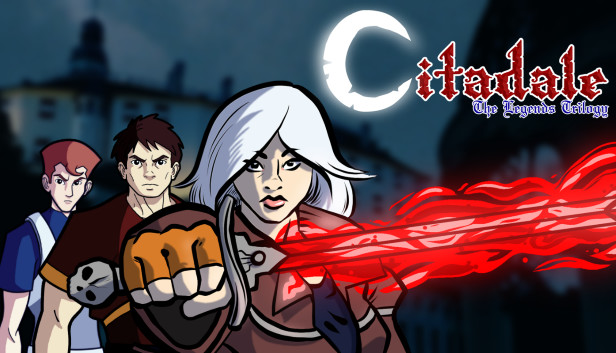
Citadale - The Legends Trilogy combines the original Wii U release (Citadale: Gate of Souls) with two all-new sequels:
Chapter 2: Curse of Darkness - Sonja’s Son, Gabriel, takes up the mantle of the Demon Slayer..
Chapter 3: Legacy of Fate - Face the Dark Lord as Christopher – Sonja’s grandson and heir to the Shadow Blade!
Fight evil across three generations with distinct storylines, characters, levels and music.
A Dark Lord plagues the land ... and only YOU can stop him. Play as Sonja Dorleac and bring an end to the forces of darkness by wielding the legendary Shadow Blade. Battle the creatures of the night with swords, axes, shurikens and more – and face off against horrific bosses. If you prove your strength, you can unlock alternate endings for the first two games in the series. A boss rush mode for the original game can also be unlocked if you get the “good” ending in first game!
Key Features:
Feast on the 8-bit style artwork combined with epic chiptune music.
Defeat creatures of the night!
Test your skills against face-melting difficulty.
Spend hours looking for secrets and unlocking alternate endings.
Enjoy a platformer, action game, and adventure – all rolled into one.
About Ezekiel Rage
Austrian-based developer Ezekiel Rage began creating games as a hobbyist in 1998. A few years ago, he pursued music project, video work, and finished his first commercial game. He also developed what he calls the “creation mindset”: a pattern of thinking in visions and emotions while creating art – whether it’s music, games or videos. Launched on the Wii U in November 2016, Ezekiel Rage’s premier release – Citadale: Gate of Souls – consists of the first game in Citadale: The Legends Trilogy.
windows Minimum
OS: Windows 7, 8, 10
Processor: 1Ghz
Memory: 512 MB RAM
Storage: 250 MB available space
macosx Minimum
OS: OSX 10.9+
Processor: 1Ghz
Memory: 512 MB RAM
Storage: 250 MB available space
linux Minimum
OS: Ubuntu 12.04+, SteamOS+
Processor: 1GHz
Memory: 512 MB RAM
Storage: 250 MB available space
To activate the game, you need a Steam Account
Login or register at the official Steam Website and download Steam client
Install and start application, login with your Account name and Password
Click the Games Menu.
Choose Activate a Product on Steam...
Follow the onscreen instructions to complete the process
After the successful code verification, go to the "MY GAMES" tab and start downloading.
News & Updates
2026-06-11
Celebrate FIFA World Cup 2026 with YUPLAY
The FIFA World Cup 2026 is coming in hot this summer and while these coming weeks it is all going to be centered around the best game in the world of sports, we decided to bring you a dedicated YUPLAY giveaway to commemorate the occasion together! This promotional giveaway campaign invites all of our followers to try and predict the exact final scores of selected matches from the World Cup…
First V-Bucks, Now Steam Decks: Why Gaming is Getting More Expensive
Has gaming been steadily becoming more and more expensive lately? In the past months and quarters there has definitely been an increase in pricing in both the software and hardware departments of gaming and this trend has definitely stricken the market in more than a couple of ways. The industry has experienced a trend of gaming price increases as well as more expensive subscriptions…