2026-10-23
BOO! Giveaway - Win a Game of Your Choice
Make a purchase of any amount between 23.10.2026 15:00 CET and 28.10.2026 15:00 CET, submit your Order ID in our Gleam and get a chance to win a FREE GAME (up to 50€).…



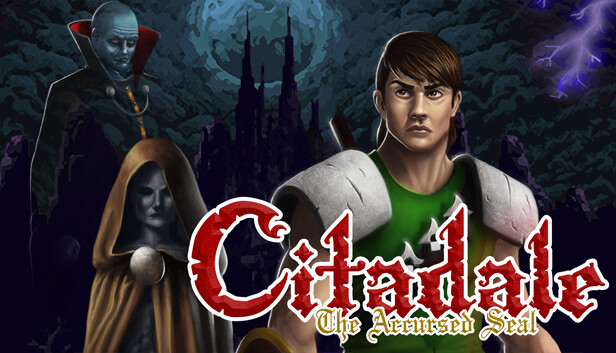
Journey back to Citadale castle, to the night of the blood moon. Arion Dorleac defeated Sekhmet the Succubus in combat, preventing the return of the dark lord Rhogul to this world. But peace has not settled in. Instead, Arion grew weaker and withered away until one night a spirit appeared in front of him and explained that he had been cursed.
In order to lift the curse, Arion must travel the lands and find four sacred flames. However, that task is complicated, for he will succumb to his curse on the next full moon, ten nights out! Arion must travel the lands, fight those that bind Rhogul's spirit to this world, kill them and take their flames. Only then can he enter Citadale castle one last time and put an end to his curse. But Arion is weak and time is running out. The final adventure has begun...
The third and final installment in the Arion Dorleac Trilogy, and it is bigger and better than ever before! Explore the lands surrounding Citadale island; beautiful forests, dark caverns and bustling towns await. Seek help from the people of the lands, upgrading your character through optional quests. But beware: When night falls, monsters grow stronger, ghosts haunt the lands and the townspeople hide in their homes, leaving you to fend for yourself. Find the dungeons strewn across the lands, defeat the creatures within before the final showdown inside Citadale castle before the next full moon and maybe, just maybe, there is hope for Arion yet!
Action game with metroidvania elements
Huge world to explore
Character upgrades and optional quests
Dynamic day/night cycle
Multiple endings
Atmospheric music
This game was designed to be enjoyed with an X-Box type controller. Keyboard, of course, is an option. Due to the nature of the engine the button mapping is fixed and can not be changed in the game. There is nothing I can do about that. However, Steam and other software allows for button remapping.