This content requires the base game in order to play:Circle Empires
Game Description
System Requirements
Activation Details
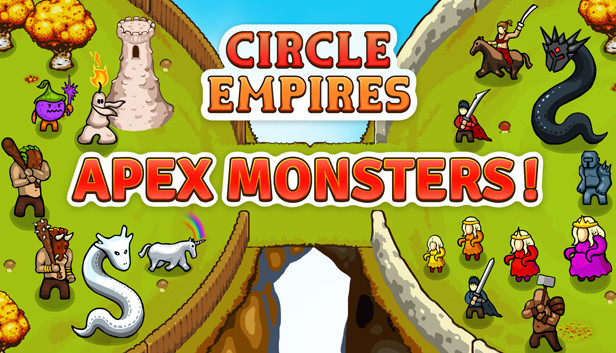
We heard you wanted more monsters. We got more monsters! More leaders? We got you covered. Circle Empires: Apex Monsters! adds 12 new monsters to hunt down, 6 new leaders to play as and 21 new units to recruit or defeat.
New creatures make their way onto the circular battlefield. Hunt down a feared unicorn named Über, as you recruit wax monsters that spawn wax towers that shoot wax at your enemies (we could wax lyrical all day). Or recruit your own horny unicorns and fight Enormy the Enormous; a really dumb but (for some reason) widely revered Barbarian.
Yeah, it’s all pretty weird, and there’s a lot more to discover. Recruit brand new units to fight by your side like crossbowmen, infested queens, black dragons, white dragons and assassin warriors. All Apex Monsters! units can be used across all game modes with this DLC package installed.
Key Features
6 new leaders to play as
12 new monsters to hunt down
21 new units (including unit classes)
A new autumn themed biome
All leaders have a new unit to recruit
AI empires use the new units to wreak havoc of their own
windows Minimum
OS: Microsoft Windows 7 SP1, Windows 8, Windows 10
Processor: 1,7GHz dual core
Memory: 3 GB RAM
Graphics: Intel/AMD Integrated Graphics, 1GB VRAM
Storage: 1 GB available space
Additional notes: System requirements may be subject to change.
Additional notes: System requirements may be subject to change.
macosx Minimum
OS: Mac OS X 10.9+
Processor: Intel Core i3 2100 3,1GHz
Memory: 1 GB RAM
Graphics: AMD Radeon HD 6970M 1GB
Storage: 1 GB available space
Additional notes: System requirements may be subject to change.
macosx Recommended
OS: Mac OS X 10.9+
Processor: Intel Core i5 4670 3,4GHz
Memory: 8 GB RAM
Graphics: Nvidia GeForce GTX 775M 2GB
Storage: 1 GB available space
Additional notes: System requirements may be subject to change.
To activate the game, you need a Steam Account
Login or register at the official Steam Website and download Steam client
Install and start application, login with your Account name and Password
Click the Games Menu.
Choose Activate a Product on Steam...
Follow the onscreen instructions to complete the process
After the successful code verification, go to the "MY GAMES" tab and start downloading.
News & Updates
2026-06-11
Celebrate FIFA World Cup 2026 with YUPLAY
The FIFA World Cup 2026 is coming in hot this summer and while these coming weeks it is all going to be centered around the best game in the world of sports, we decided to bring you a dedicated YUPLAY giveaway to commemorate the occasion together! This promotional giveaway campaign invites all of our followers to try and predict the exact final scores of selected matches from the World Cup…
First V-Bucks, Now Steam Decks: Why Gaming is Getting More Expensive
Has gaming been steadily becoming more and more expensive lately? In the past months and quarters there has definitely been an increase in pricing in both the software and hardware departments of gaming and this trend has definitely stricken the market in more than a couple of ways. The industry has experienced a trend of gaming price increases as well as more expensive subscriptions…