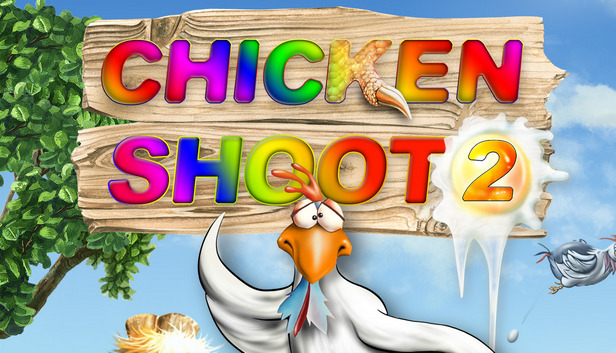
This tiresome bunch of feathered troublemakers is not giving any peace. Stop this hostile destruction from these rampaging roosters in Arcade mode, or fight against the clock in Classic mode in three difficulty levels.
Seven fabulous landscapes enchant the player again and again revealing new secrets and gimmicks every time. Punctuated with loads of original sound effects and underscored with idyllic music this game will amuse not only the lone player, but the whole family with its variety of comic chicken animations, unique surprises, and hilarious, raucous chicken noises.
Invite and join forces with the like-minded for a spell of joint poultry plucking in a network, or on the Internet. Alternatively, stalk them alone and achieve the ultimate high score to secure first place on the international online scoreboard.
CHICKEN SHOOT 2 is a Classic Fun Shooter with adventure elements. You don't have to think too much .... just blow the chickens away. In each mission, the player can collect a number of things and can receive many extra points for different actions. In this way, it is easy - especially in the first levels - to score lots of points, but the levels increase in difficulty from mission to mission and become a true challenge with a high addiction factor. The implementation of numerous and varied gimmicks - individually made for each level - offers the player many hours of exciting gameplay.
windows Minimum
OS: Windows 98 / XP / Vista / 7
Processor: Intel or AMD Singlecore CPU
Memory: 128 MB RAM
Graphics: 64MB
Storage: 0.7GB
Directx: 3D Graphics card with DirectX support and 64 MB RAM
Additional notes: Keyboard requirement
windows Recommended
OS: Windows 7, Windows Vista, Windows XP, Windows 98
Processor: Intel Singlecore CPU, AMD Singlecore CPU
Memory: 0.256GB
Graphics: 128MB
Storage: 0.7GB
Additional notes: 3-buttons mouse
To activate the game, you need a Steam Account
Login or register at the official Steam Website and download Steam client
Install and start application, login with your Account name and Password
Click the Games Menu.
Choose Activate a Product on Steam...
Follow the onscreen instructions to complete the process
After the successful code verification, go to the "MY GAMES" tab and start downloading.
News & Updates
2026-06-11
Celebrate FIFA World Cup 2026 with YUPLAY
The FIFA World Cup 2026 is coming in hot this summer and while these coming weeks it is all going to be centered around the best game in the world of sports, we decided to bring you a dedicated YUPLAY giveaway to commemorate the occasion together! This promotional giveaway campaign invites all of our followers to try and predict the exact final scores of selected matches from the World Cup…
First V-Bucks, Now Steam Decks: Why Gaming is Getting More Expensive
Has gaming been steadily becoming more and more expensive lately? In the past months and quarters there has definitely been an increase in pricing in both the software and hardware departments of gaming and this trend has definitely stricken the market in more than a couple of ways. The industry has experienced a trend of gaming price increases as well as more expensive subscriptions…