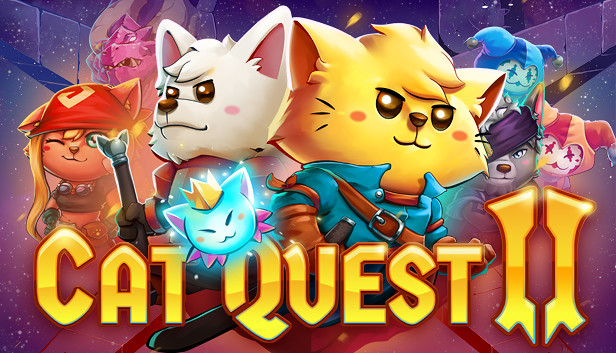
CAT QUEST II is a 2D open-world action-RPG set in a fantasy realm of cats and dogs.
Under threat from a continuing war between the cats of Felingard and the advancing dogs of the Lupus Empire, CAT QUEST II tells the tail of two kings, brought together against their will, on a journey of paw-some discovery to reclaim their thrones.
Play as both a cat and dog as you explore their kingdoms solo or with a friend! Quest in a world filled with magic, curious monsters, and go on a catventure like never before!
Following the success of the acclaimed CAT QUEST, developers The Gentlebros return to the world of Felingard to expand on the original with more explosive spells, expanded weapon options, an exciting new character switch mechanic, and local co-op!
Features
Brand new story set in the world of Felingard - and beyond!
All new switch and co-op gameplay. Play as both cat and dog, either alone or with a friend!
New weapons types – Master swords, staves and more to become a fur-midable fighter!
More spells bring even more furry judgement to your foes.
New passive abilities, whose attributes can be mixed and combined for endless paw-sibilities!
Exciting, and varied dungeons filled with new traps and obstacles, making every pounce into the unknown a fresh experience!
Em-bark on a litany of side quests, each telling its own story and expanding the lore and universe of CAT QUEST!
Go on the ultimutt catventure today!
Cat Quest is a copyright of The Gentlebros Pte. Ltd. 2019. Published by PQube Limited.
windows Minimum
OS: Windows 7
Processor: Intel(R) Core(TM) i3-2100 CPU @ 3.10GHz (4 CPUs), ~3.1GHz
Memory: 4 GB RAM
Graphics: Intel(R) HD Graphics 520
Storage: 600 MB available space
windows Recommended
OS: Windows 10
Processor: Intel(R) Core(TM) i7-7500U CPU @ 2.70GHz
Memory: 8 GB RAM
Graphics: Intel(R) HD Graphics 620
Storage: 600 MB available space
Directx: Version 12
To activate the game, you need a Steam Account
Login or register at the official Steam Website and download Steam client
Install and start application, login with your Account name and Password
Click the Games Menu.
Choose Activate a Product on Steam...
Follow the onscreen instructions to complete the process
After the successful code verification, go to the "MY GAMES" tab and start downloading.
News & Updates
2026-10-23
BOO! Giveaway - Win a Game of Your Choice
Make a purchase of any amount between 23.10.2026 15:00 CET and 28.10.2026 15:00 CET, submit your Order ID in our Gleam and get a chance to win a FREE GAME (up to 50€).…