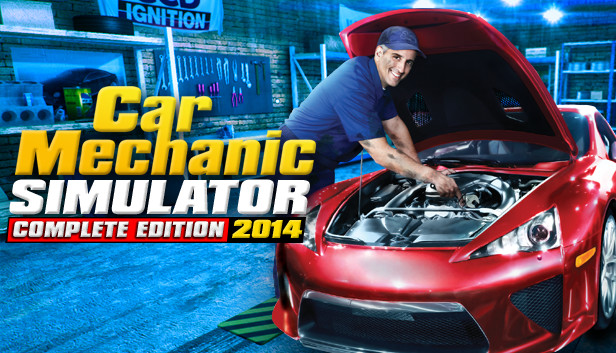
Now you can own and operate your own auto repair service with PlayWay’s Car Mechanic Simulator 2014. Car Mechanic Simulator 2014 gives you the behind the scenes view of the daily dealings at local garages and dealership repair shops.
Interact with car owners seeking repairs
Order parts and materials necessary to maintain inventory including used car parts to help keep consumer costs low.
Purchase repair manuals to enable you to work better, faster and earn more income!
Work on eight different car models including Town Cars, Compacts, Sedans, SUVs, Family Cars, SUVs VANs, and Limousines
Gain experience with over 120 different repairs including brakes, transmission fixes, body shop work, steering and alignment adjustments, chip tuning, diagnostic analysis, test drive pad, OBD scanning, oil changes, fix broken parts and engage in dozens of other tasks.
Car Mechanic Simulator 2014 is a must have for auto mechanics and fans of the world’s most popular autos!
But that's not all. In 3 months we'll release free 4x4 add-on with brand new car and set of parts! Do you ask for Turbo add-on ? yes - it will also be ready this year.
windows Minimum
OS: Windows XP SP3 / Vista / 7 / 8
Processor: Core 2 Duo 1.8GHz or AMD equivalent
Memory: 2048 MB RAM
Graphics: GeForce 9800GT or better w /512MB VRAM
Storage: 1200 MB available space
Directx: Version 9.0c
Sound card: DirectX compatble
windows Recommended
OS: Windows XP SP3 / Vista / 7 / 8
Processor: Core i5 or AMD equivalent
Memory: 4096 MB RAM
Graphics: GeForceGTX 650 Ti or better w/ 1024MB VRAM
Storage: 1200 MB available space
Directx: Version 9.0c
Sound card: DirectX compatble
macosx Minimum
OS: 10.6
Processor: 2.4 GHz Dual Core CPU
Memory: 2048 MB RAM
Graphics: NVidia 9800M GTS / Radeon HD 6770M
Storage: 1200 MB available space
macosx Recommended
OS: 10.6
Processor: 3.0GHz Quad Core CPU
Memory: 4096 MB RAM
Graphics: NVidia 650M
Storage: 1200 MB available space
To activate the game, you need a Steam Account
Login or register at the official Steam Website and download Steam client
Install and start application, login with your Account name and Password
Click the Games Menu.
Choose Activate a Product on Steam...
Follow the onscreen instructions to complete the process
After the successful code verification, go to the "MY GAMES" tab and start downloading.
News & Updates
2026-09-02
Get 50 Extra YXP for a Limited Time
Ready to level up your YUPLAY Loyalty progress? The YXP Extra Event is back, giving you another chance to earn 50 bonus YXP with every qualifying order. Spend at least €10 between 02.09.2026 15:00 CET and 07.09.2026 15:00 CET and get an extra 50 YXP on top of your regular Loyalty Program rewards!
ACE COMBAT 8 Could Be the Series’ Most Ambitious Entry
The upcoming Ace Combat 8: Wings of Theve marks a completely new chapter in the popular flight shooting series, by effectively blending cinematic storytelling with the thrills of aerial combat like never before. Developed by Bandai Namco Aces Inc., the game will build upon the decades of established expertise in order to further boost the series’ strong sides…