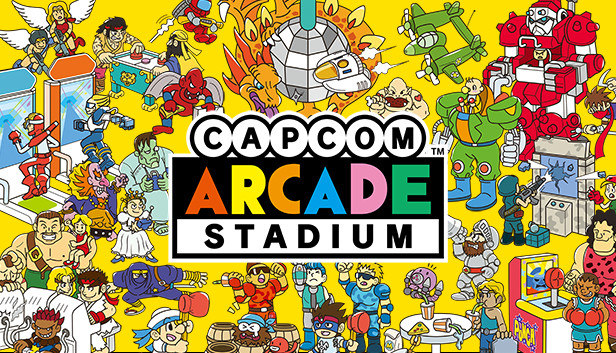
Capcom Arcade Stadium

Åland Islands, Albania, Algeria, Andorra, Angola, Anguilla, Antigua and Barbuda, Argentina, Armenia, Aruba, Australia, Austria, Azerbaijan, Bahrain, Bangladesh, Barbados, Belarus, Belgium, Belize, Benin, Bermuda, Bhutan, Bolivia, plurinational state of, Bosnia and Herzegovina, Brazil, Brunei Darussalam, Bulgaria, Burkina Faso, Burma, Burundi, Cambodia, Cameroon, Canada, Cape Verde, Cayman Islands, Central African Republic, Chad, Chile, China, Colombia, Comoros, Congo, Congo, Democratic Republic of the, Cook Islands, Costa Rica, Cote d'Ivoire, Croatia, Cuba, Curaçao, Cyprus, Czech Republic, Denmark, Djibouti, Dominica, Dominican Republic, Ecuador, Egypt, El Salvador, Equatorial Guinea, Eritrea, Estonia, Falkland Islands (Malvinas), Faroe Islands, Fiji, Finland, France, Gabon, Gambia, Georgia, Germany, Gibraltar, Greece, Guadeloupe, Guatemala, Guernsey, Guinea, Guinea-Bissau, Guyana, Haiti, Holy See (Vatican City State), Honduras, Hong Kong, Hungary, Iceland, India, Indonesia, Ireland, Isle of Man, Israel, Italy, Jamaica, Japan, Jersey, Jordan, Kazakhstan, Kenya, Korea, Republic of, Kuwait, Kyrgyzstan, Lao People's Democratic Republic, Latvia, Lebanon, Lesotho, Liberia, Liechtenstein, Lithuania, Luxembourg, Macao, Madagascar, Malawi, Malaysia, Maldives, Mali, Malta, Marshall Islands, Martinique, Mauritania, Mauritius, Mayotte, Mexico, Micronesia, Federated States of, Moldova, Monaco, Mongolia, Montenegro, Montserrat, Morocco, Mozambique, Namibia, Nepal, Netherlands, New Zealand, Nicaragua, Niger, Niue, Northern Mariana Islands, Norway, Oman, Papua New Guinea, Paraguay, Peru, Philippines, Poland, Portugal, Qatar, Republic of North Macedonia, Romania, Russian Federation, Rwanda, Saint Kitts and Nevis, Saint Lucia, Saint Martin (French Part), Saint Vincent and the Grenadines, San Marino, Senegal, Serbia, Seychelles, Sierra Leone, Singapore, Sint Maarten, Slovakia, Slovenia, Solomon Islands, Somalia, South Africa, South Sudan, Spain, Sudan, Suriname, Svalbard and Jan Mayen, Swaziland, Sweden, Switzerland, Taiwan, Province of China, Tajikistan, Tanzania, United Republic Of, Thailand, Timor-Leste, Togo, Tonga, Turkey, Turkmenistan, Uganda, Ukraine, United Arab Emirates, United Kingdom, United States, Uruguay, Uzbekistan, Venezuela, Vietnam, Western Sahara, Zambia, Zimbabwe
Game Description
Activation Details
Relive the Capcom classics!
Get 1943 -The Battle of Midway- and game logo wallpapers free with your download!
Shooters, fighting, action—all your favorite genres in this exciting collection! Capcom Arcade Stadium brings back all the nostalgia of the arcade, while adding in new and exciting features you'll wish you had back then!
Just Like the Good Old Days
From 3D-rendered arcade cabinets to scanline filters, there's everything you need to recreate that arcade atmosphere. Fully customizable display settings let you craft your own personal experience and truly relive the glory days of arcade gaming.
Brand New Ways to Play
With gameplay rewind, speed adjustment, and the ability to save and load your game at any time, your old favorites will feel new all over again!
Every game has online leaderboard rankings, so you can see where you stack up against players all over the world!
Capcom Arcade Stadium, where retro appeal meets cutting-edge features for a fresh take on Capcom's classics!
Included Title
1943 - The Battle of Midway -
Players: 1-2 Co-Op
Genre: Shooting
Versions: Japanese & English
Note
- Player numbers differ based on the game. Multiplayer gameplay is available on local connections only.
- Game logo wallpapers will download to the following folder on your computer:
...\steamapps\common\Capcom Arcade Stadium\Wallpaper
©HIROSHI MOTOMIYA ©Thirdline ©SHUEISHA
©CAPCOM CO., LTD. 2021 ALL RIGHTS RESERVED.
To activate the game, you need a Steam Account
-
Login or register at the official
Steam Website and download Steam client - Install and start application, login with your Account name and Password
- Click the Games Menu.
- Choose Activate a Product on Steam...
- Follow the onscreen instructions to complete the process
- After the successful code verification, go to the "MY GAMES" tab and start downloading.