Can be activated in:
Åland Islands, Albania, Algeria, Andorra, Angola, Anguilla, Antigua and Barbuda, Argentina, Armenia, Aruba, Australia, Austria, Azerbaijan, Bahrain, Bangladesh, Barbados, Belarus, Belgium, Belize, Benin, Bermuda, Bhutan, Bolivia, plurinational state of, Bonaire, Sint Eustatius and Saba, Bosnia and Herzegovina, Bouvet Island, Brazil, British Indian Ocean Territory, Brunei Darussalam, Bulgaria, Burkina Faso, Burma, Burundi, Cambodia, Cameroon, Canada, Cape Verde, Cayman Islands, Central African Republic, Chad, Chile, China, Christmas Island, Cocos (Keeling) Islands, Colombia, Comoros, Congo, Congo, Democratic Republic of the, Cook Islands, Costa Rica, Cote d'Ivoire, Croatia, Cuba, Curaçao, Cyprus, Czech Republic, Denmark, Djibouti, Dominica, Dominican Republic, Ecuador, Egypt, El Salvador, Equatorial Guinea, Eritrea, Estonia, Falkland Islands (Malvinas), Faroe Islands, Fiji, Finland, France, French Guiana, French Polynesia, French Southern Territories, Gabon, Gambia, Georgia, Germany, Gibraltar, Greece, Greenland, Grenada, Guadeloupe, Guatemala, Guernsey, Guinea, Guinea-Bissau, Guyana, Haiti, Heard Island and McDonald Islands, Holy See (Vatican City State), Honduras, Hong Kong, Hungary, Iceland, India, Indonesia, Ireland, Isle of Man, Israel, Italy, Jamaica, Japan, Jersey, Jordan, Kazakhstan, Kenya, Kiribati, Korea, Republic of, Kuwait, Kyrgyzstan, Lao People's Democratic Republic, Latvia, Lebanon, Lesotho, Liberia, Liechtenstein, Lithuania, Luxembourg, Macao, Madagascar, Malawi, Malaysia, Maldives, Mali, Malta, Marshall Islands, Martinique, Mauritania, Mauritius, Mayotte, Mexico, Micronesia, Federated States of, Moldova, Monaco, Mongolia, Montenegro, Montserrat, Morocco, Mozambique, Namibia, Nauru, Nepal, Netherlands, New Caledonia, New Zealand, Nicaragua, Niger, Niue, Norfolk Island, Northern Mariana Islands, Norway, Oman, Palau, Palestinian Territory, Occupied, Papua New Guinea, Paraguay, Peru, Philippines, Pitcairn, Poland, Portugal, Qatar, Republic of North Macedonia, Reunion, Romania, Russian Federation, Rwanda, Saint Barthélemy, Saint Helena, Ascension And Tristan Da Cunha, Saint Kitts and Nevis, Saint Lucia, Saint Martin (French Part), Saint Pierre and Miquelon, Saint Vincent and the Grenadines, San Marino, Sao Tome and Principe, Senegal, Serbia, Seychelles, Sierra Leone, Singapore, Sint Maarten, Slovakia, Slovenia, Solomon Islands, Somalia, South Africa, South Georgia and the South Sandwich Islands, South Sudan, Spain, Sudan, Suriname, Svalbard and Jan Mayen, Swaziland, Sweden, Switzerland, Taiwan, Province of China, Tajikistan, Tanzania, United Republic Of, Thailand, Timor-Leste, Togo, Tokelau, Tonga, Turkey, Turkmenistan, Turks and Caicos Islands, Tuvalu, Uganda, Ukraine, United Arab Emirates, United Kingdom, United States, United States Minor Outlying Islands, Uruguay, Uzbekistan, Vanuatu, Venezuela, Vietnam, Virgin Islands, British, Wallis and Futuna, Western Sahara, Zambia, Zimbabwe
Delivery:
Instant Delivery
Game Details
Operating System:PC
Release Date:July 22, 2022
Product type:Standard Edition
Supported languages:
English, French, German, Italian, Japanese, Korean, Portuguese, Russian, Simplified Chinese, Spanish, Thai, Traditional Chinese
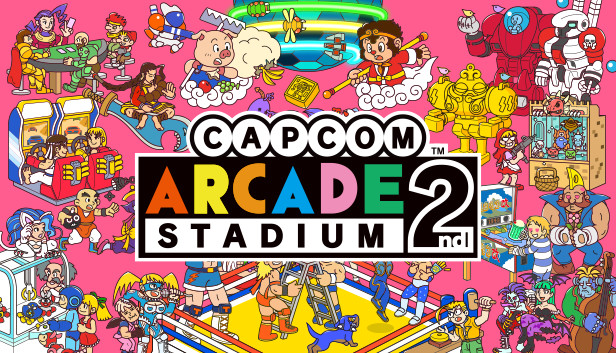
Play more of your favorite arcade hits from yesteryear. Includes SONSON for free!
Capcom is taking you back to the stadium with another collection of your favorite classic hits! Come see what's changed, and what's completely new, in Capcom Arcade 2nd Stadium!
Just Like the Good Old Days From 3D-rendered arcade cabinets to scanline filters, there's everything you need to recreate that arcade atmosphere. Fully customizable display settings let you craft your own personal experience and truly relive the glory days of arcade gaming.
Brand New Ways to Play With gameplay rewind, speed adjustment, and the ability to save and load your game at any time, your old favorites will feel new all over again! Every game has online leaderboard rankings, so you can see where you stack up against players all over the world! Capcom Arcade 2nd Stadium, where retro appeal meets cutting-edge features for a fresh take on Capcom's classics!
Play hard. Dominate the scoreboards. Track your progress across each game, including play count, times cleared, and personal high scores! Beat your bests, or those of your friends--there's always something to shoot/strive for!
Included Title SonSon Players: 1-2 Co-Op Genre: Shooting Versions: Japanese & English
Note: Player numbers differ based on the game. Multiplayer gameplay is only available locally.
Processor: Intel® Core™ i5-4460 or AMD FX™-6300 or better
Memory: 4 GB RAM
Graphics: NVIDIA® GeForce® GTX 760 or AMD Radeon™ R7 260x with 2GB Video RAM
Storage: 4 GB available space
Directx: Version 12
Additional notes: Hardware specification target 720P/60FPS. *Xinput support Controllers recommended
windows Recommended
OS: WINDOWS® 10 (64-BIT Required)
Processor: Intel® Core™ i7-3770 or AMD FX™-9590 or better
Memory: 8 GB RAM
Graphics: NVIDIA® GeForce® GTX 1060 or AMD Radeon™ RX 480 with 3GB VRAM
Storage: 4 GB available space
Directx: Version 12
Additional notes: Hardware specification target 1080P/60FPS. *Xinput support Controllers recommended
To activate the game, you need a Steam Account
Login or register at the official Steam Website and download Steam client
Install and start application, login with your Account name and Password
Click the Games Menu.
Choose Activate a Product on Steam...
Follow the onscreen instructions to complete the process
After the successful code verification, go to the "MY GAMES" tab and start downloading.
News & Updates
2025-06-30
Monthly Recap – June Edition
We are already at the end of the second quarter for the year and the summer is already giving us so many updates and cool information on a lot of gaming titles and events. We tried our best to gather some of the more exciting pieces, although it is quite difficult to contain everything in just one single post as there is simply so much to talk of. We kick-off things with as many of the highlights from one of the most important gaming events of the year…
The summer heat is already upon us and the rising temperatures are coming ahead, but here at YUPLAY prices are going in the opposite direction and are dropping down like mad! Furthermore, we want to deliver even more value to our happy customers and for every purchase made during the promotional period (between 27.06.2025 7:30 CET and 02.07.2025 15:00 CET) that is above 12€ you will score a free game as a gift from us!