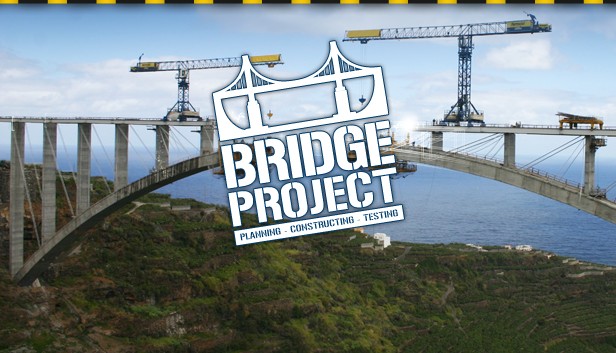
The Bridge Project is the successor to the original and award-winning Bridge Builder simulation, all amateur designers and structural engineers finally have a new challenge on their PC.
The gameplay has been subject to much tweaking and development with new up to date materials exciting scenarios and a variety of tasks waiting to be solved.
Build stable bridges in a variety of landscapes with detailed environment.
Take on the task of constructing a huge variety of different bridges: suspended, folding, stone, steel, wood, car or railway bridges.
Whilst you enjoy the enhanced graphics and the new, improved physics engine putting the most spectacular bridges to the test with stress tests.
Download free levels from the global Bridge Project community, and participate in competitions.
Key Features
All-new in-game graphics with a variety of detailed 3D objects
New user interface for easy operation
Additional materials such as wood and concrete
In addition to trains, cars and ships you can now test vehicles such as buses and tanks
Your Bridges
Extended weight and stability testing of different vehicles, or natural events such as storms or earthquakes
48 varied and challenging levels: different towns, canyons, rural areas
Set the design tasks to different modes - simple or expert.
Editor feature - build your own levels and share them with other players
Compare your technical skills with other players in the global online ranking
Take part in competitions, improve your own record!
windows Minimum
OS: Windows XP, Windows Vista, Windows 7
Processor: Core2Duo 2.4 GHz or comparable
Memory: 2048 MB RAM
Graphics: 3D graphics card with min. 256 MB (GeForce 8600GT or comparable)
windows Recommended
OS: Windows 7
Processor: 3.0 GHz
Memory: 4096 MB RAM
Graphics: 3D graphics card with min. 512 MB (GeForce 9000 series or comparable)
macosx Minimum
OS: Mac OS X 10.6
Processor: Core2Duo 2.0 GHz
Memory: 2048 MB RAM
Graphics: 3D graphics card with 256 MB / NVIDIA GeForce 8600 or ATI HD2400 or equivalent
Storage: 2 GB HD space
Additional notes: Keyboard and Mouse
To activate the game, you need a Steam Account
Login or register at the official Steam Website and download Steam client
Install and start application, login with your Account name and Password
Click the Games Menu.
Choose Activate a Product on Steam...
Follow the onscreen instructions to complete the process
After the successful code verification, go to the "MY GAMES" tab and start downloading.
News & Updates
2026-10-23
BOO! Giveaway - Win a Game of Your Choice
Make a purchase of any amount between 23.10.2026 15:00 CET and 28.10.2026 15:00 CET, submit your Order ID in our Gleam and get a chance to win a FREE GAME (up to 50€).…