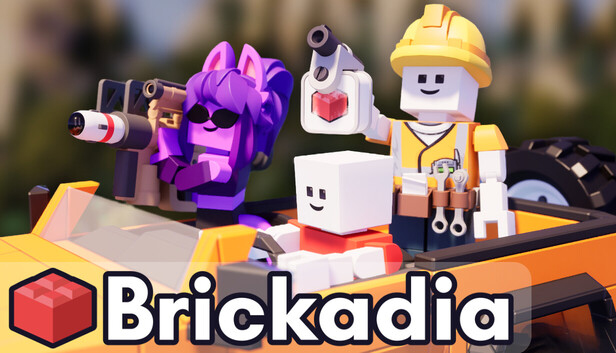
Brickadia is a next-generation sandbox game with immense flexibility. Every creative tool - building, scripting, and more - is used right in the game, in real-time multiplayer. Build massive worlds, intricate physics contraptions, and entirely new game modes together with your friends without ever leaving the action.
Build anything you can imagine.
It's super easy to get started placing bricks to build stuff - and with our intuitive powerful tools you can build towering skyscrapers, fun vehicles, interesting mechanics, detailed islands, spaceships, cityscapes, anything you can dream of!
Make your creations dynamic.
Brickadia features an incredible dynamic physics system that brings your creations to life! Create interactive builds with buttons, switches, doors, motors, servos, seats, lights and so much more with wire logic. Set up simple circuits with logic gates to create complex puzzles and terrifying traps - all without writing code.
Be anyone or anything.
Our avatar customisation has been highly praised for its flexibility - Assemble your own entirely unique avatar with hundreds of varied pieces! Replace any body part, attach accessories all over, put on hats, new hairstyles, fancy clothing, or even a tail? Create an unlimited number of avatars to use in the game however you like!
Battle other players.
With our flexible game rules system and wide range of weaponry, any build can instantly become a fierce battle arena! Place item spawns and ammo pickups around your builds, and host servers with custom game modes for anyone to join.
Explore endless creations.
Just want to sit back and play? No problem - Brickadia makes it easier than ever to jump into experiences created by other players. Explore our vast in-game Gallery, solo or with friends. Maybe remix them to give them your own personal twist!
The possibilities really are endless!
To activate the game, you need a Steam Account
Login or register at the official Steam Website and download Steam client
Install and start application, login with your Account name and Password
Click the Games Menu.
Choose Activate a Product on Steam...
Follow the onscreen instructions to complete the process
After the successful code verification, go to the "MY GAMES" tab and start downloading.
News & Updates
2026-09-02
Get 50 Extra YXP for a Limited Time
Ready to level up your YUPLAY Loyalty progress? The YXP Extra Event is back, giving you another chance to earn 50 bonus YXP with every qualifying order. Spend at least €10 between 02.09.2026 15:00 CET and 07.09.2026 15:00 CET and get an extra 50 YXP on top of your regular Loyalty Program rewards!
ACE COMBAT 8 Could Be the Series’ Most Ambitious Entry
The upcoming Ace Combat 8: Wings of Theve marks a completely new chapter in the popular flight shooting series, by effectively blending cinematic storytelling with the thrills of aerial combat like never before. Developed by Bandai Namco Aces Inc., the game will build upon the decades of established expertise in order to further boost the series’ strong sides…
This game sometimes shows mouse, keyboard, or non-Steam-Deck controller icons
Some in-game text is small and may be difficult to read
This game does not default to external Bluetooth/USB controllers on Deck, and may require manually switching the active controller via the Quick Access Menu
All functionality is accessible when using the default controller configuration
This game's default graphics configuration performs well on Steam Deck