This content requires the base game in order to play:Bounty Train
Game Description
System Requirements
Activation Details
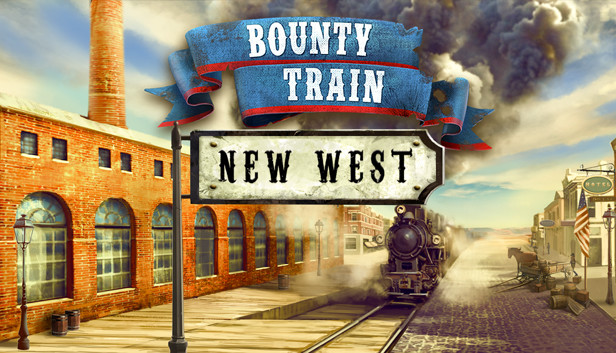
With ""Bounty Train – NEW WEST"" Walter Reed's story continues after the events of the base campaign. Take control over your company and lead the building process of your new facility, move resources, hire specialists and pay bills to realize this massive project and to set yourself up for expansion.
This DLC features the following content:
A new campaign (over 30 quests, which lead to about 14 hours of gameplay)
Set up your own facility and manage the building process
New train options (a new locomotive and a new carriage)
New crew options & weapons (new weapon type: shotgun, and additional weapons)
New resources & missions
Completing the main campaign is necessary to start the DLC campaign. As soon as the main story has been completed, you'll receive a letter, leading you to the new story hub.
Graphics: AMD Radeon HD 6570, GeForce 9600 GT or higher
Storage: 2 GB available space
Directx: Version 9.0c
Sound card: DirectX 9.0c Compatible Sound Card with Latest Drivers
windows Recommended
OS: Windows 7 SP1, Windows 8 (32/64 bit versions), Windows 10
Processor: 2.8 GHz Multi Core CPU
Memory: 6 GB RAM
Graphics: AMD Radeon HD 6570, GeForce 9600 GT or higher
Storage: 2 GB available space
Directx: Version 9.0c
Sound card: DirectX 9.0c Compatible Sound Card with Latest Drivers
macosx Minimum
OS: Mac OS X 10.9
Processor: Dual-core Intel or AMD, 2 GHz or faster
Memory: 4 GB RAM
Graphics: AMD Radeon HD 6570, GeForce 9600 GT or higher
Storage: 4 GB available space
Sound card: Any
macosx Recommended
OS: Mac OS X 10.10
Processor: 2.8 GHz Multi Core CPU
Memory: 6 GB RAM
Graphics: AMD Radeon HD 6570, GeForce 9600 GT or higher
Storage: 4 GB available space
Sound card: Any
To activate the game, you need a Steam Account
Login or register at the official Steam Website and download Steam client
Install and start application, login with your Account name and Password
Click the Games Menu.
Choose Activate a Product on Steam...
Follow the onscreen instructions to complete the process
After the successful code verification, go to the "MY GAMES" tab and start downloading.
News & Updates
2026-09-17
Celebrate Fall and Collect Your Free Game Drop
Summer is over and the new gaming season starts with a blast at YUPLAY, so for this occasion we decided to bring you a massive storewide promotion with a surprise FREE game as a gift from us. All you have to do to participate is make an order over 9.99€ between 17.09.2026 15:00 CET and 21.09.2026 15:00 CET, and you will get your FREE game together with the ones you have purchased…
Ready to level up your YUPLAY Loyalty progress? The YXP Extra Event is back, giving you another chance to earn 50 bonus YXP with every qualifying order. Spend at least €10 between 02.09.2026 15:00 CET and 07.09.2026 15:00 CET and get an extra 50 YXP on top of your regular Loyalty Program rewards!